Schema Markup Validators: How to Test and Fix Your Structured Data

Last updated: 17 October 2026
A schema markup validator is a tool that parses your structured data, compares it against schema.org standards, and reports whether search engines can correctly interpret it. The validator identifies syntax errors, missing required fields, and type mismatches that would otherwise prevent your pages from earning rich results like star ratings, prices, or event details. Running validation before publishing catches these issues when they're cheap to fix.
What a Schema Markup Validator Does
A schema markup validator reads the structured data on a page, checks it against schema.org specifications, and confirms whether search engines and AI engines can parse it correctly. It catches syntax errors, missing required properties, and type mismatches before they silently cost you rich result eligibility.
Validators work by extracting every structured data block on a page, whether written in JSON-LD, Microdata, or RDFa, and running each one against the schema.org type definitions. JSON-LD is the format Google recommends and the one most validators handle best. Microdata and RDFa are embedded directly in HTML attributes, which makes them harder to extract cleanly and more prone to partial-parse failures.
The check is two-layered. First, syntax: is the JSON valid? Are the HTML attributes well-formed? Second, semantic: does the @type exist in the schema.org vocabulary? Are required properties present? Are property values the right data type? A Product entity missing a name property passes a syntax check but fails a semantic one, and that distinction directly affects rich result eligibility.
Why errors are more common than most teams assume
The numbers are stark. Merkle's 2023 structured data study found that 63% of crawled pages carried at least one schema error. That figure covers pages that already had structured data implemented, not pages that skipped it entirely. Errors on pages that already have markup are particularly costly because they create a false sense of coverage: the markup is there, it just does not work.
Validators surface these gaps before a crawler does. One honest caveat: passing a validator does not guarantee a rich result. Google's rendering environment applies additional quality signals on top of schema validity. But an invalid schema is a hard disqualifier, and fixing errors is the prerequisite for everything else.
Before You Start: What You Need to Run a Schema Audit
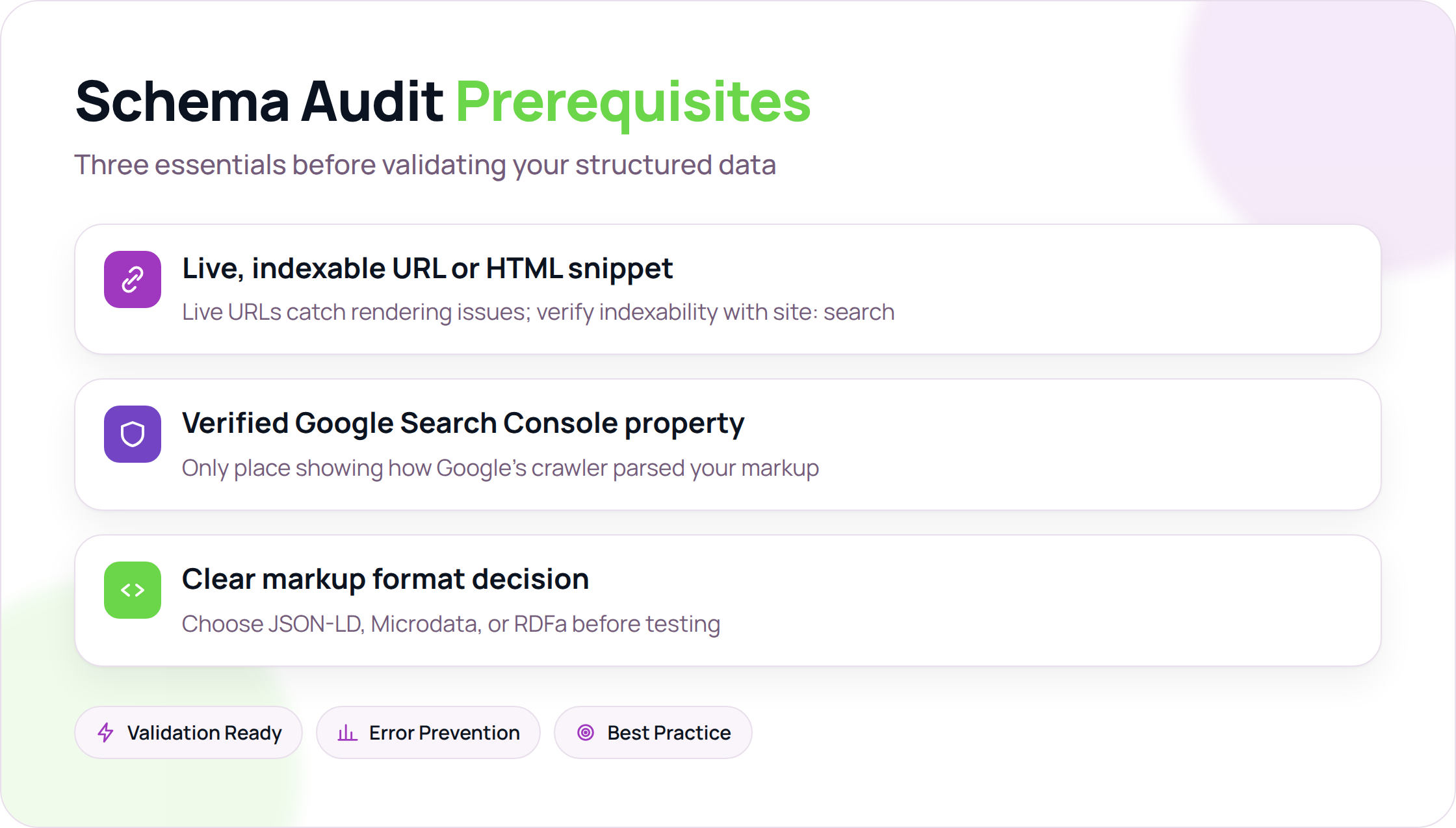
To run a schema audit, you need three things in place: a live, indexable URL or a raw HTML snippet to test, a verified Google Search Console property, and a clear decision on which markup format you are using. Without all three, you are validating in a vacuum.
Access requirements
Start with a live URL if you can. Validators that pull from a live page catch rendering issues that a pasted HTML snippet will not, because they see what a browser actually assembles after JavaScript runs. If your page is not indexed yet, fix that first. A quick site:yourdomain.com/your-page search in Google confirms whether it is visible. If it does not appear, structured data is the wrong problem to solve right now.
Google Search Console is the other essential tool. It is the only place that shows you how Google's crawler actually parsed your markup, including errors and warnings that third-party validators sometimes miss entirely.
Choosing your markup format
Three formats exist: JSON-LD, Microdata, and RDFa. Google has stated a preference for JSON-LD since at least 2016, and the schema.org validator supports all three, but the practical gap in tooling support is real. JSON-LD lives in a <script> tag, so you can add or update it without touching your HTML structure. Microdata and RDFa are woven into the HTML itself, which makes them harder to audit and harder to change.
The trade-off is that JSON-LD's separation from the DOM can cause sync issues on dynamically rendered pages. If your page content is assembled client-side and the JSON-LD block does not update to match, you end up with markup that describes content the user never sees. That is a validity problem, not just a technical one.
For most teams, JSON-LD is the right starting point. Microdata and RDFa are worth considering only if you are working inside a legacy CMS that cannot inject <script> blocks cleanly.
When to use a generator before you validate
If you are starting from scratch or auditing a page that has no structured data yet, running a JSON-LD schema generator before you open a validator saves time. Generators output syntactically correct markup for a given schema type, which means your first validation pass catches structural or vocabulary errors rather than basic JSON syntax mistakes.
The Rank Masters' comparison of schema tools notes that teams who generate first and validate second tend to resolve errors in fewer iterations than those who hand-write markup and validate from scratch. The reason is simple: generators enforce required properties by default, so you are less likely to submit markup that is missing a field the validator immediately flags.
One limitation worth flagging: generators are only as good as the schema type you select. If you pick Article when your page is actually a HowTo, the generated markup will validate cleanly and still be semantically wrong. Validation confirms syntax and vocabulary. It does not confirm that your markup accurately describes your page.
Step 1: Run Your Page Through Google's Rich Results Test
Google's Rich Results Test tells you whether a specific page qualifies for enhanced search features like review stars, FAQ dropdowns, or product pricing panels. Paste a live URL or a raw code snippet into the tool, and it returns every schema type it detects, flags any properties that are missing or malformed, and shows a preview of how the result could appear in search. It is the fastest way to confirm your structured data is actually readable.
Submitting a URL vs. a code snippet
Both input methods work, but they behave differently. A URL fetch renders the page the same way Googlebot does, including JavaScript execution, so it catches schema injected by client-side scripts. A code snippet skips rendering entirely and validates only what you paste. Google's structured data documentation recommends the Rich Results Test for eligibility checks and the Schema Markup Validator for generic structural validation. Use both if you are debugging a page where the live URL and your source code disagree.
Reading warnings vs. errors
The tool returns three statuses: valid, warning, and error. Errors mean a required property is absent or broken. A Product schema missing a name field, for example, will error and disqualify the page from product rich results entirely. Warnings flag recommended properties that are absent but not required. A missing review aggregate on a product page generates a warning, not an error, but Google is less likely to render the enhanced result without it. The practical distinction: errors block eligibility, warnings reduce the probability of the feature appearing.
One trade-off to keep in mind: the Rich Results Test reflects Google's crawler at the moment of the test. Pages behind login walls, paywalls, or aggressive bot-detection may return incomplete results because the tool cannot fully render them. In those cases, a code snippet test is more reliable than a URL fetch, even though it misses dynamically injected markup.
Cross-checking in Search Console
The Rich Results Test is a point-in-time check. For trend data, open Google Search Console and navigate to the "Enhancements" section in the left sidebar. Each schema type Google has detected across your site appears as a separate report, with counts of valid items, warnings, and errors broken down by page. As the University of Minnesota's communications team notes in their structured data guide, the Schema Markup Validator checks for structural errors while the Rich Results Test checks rich result eligibility. Running both tools against the same page, then confirming the result in Search Console's Enhancements report, gives you three independent confirmation points before you treat a fix as complete.
Step 2: Validate Against Schema.org Using a Third-Party Tool
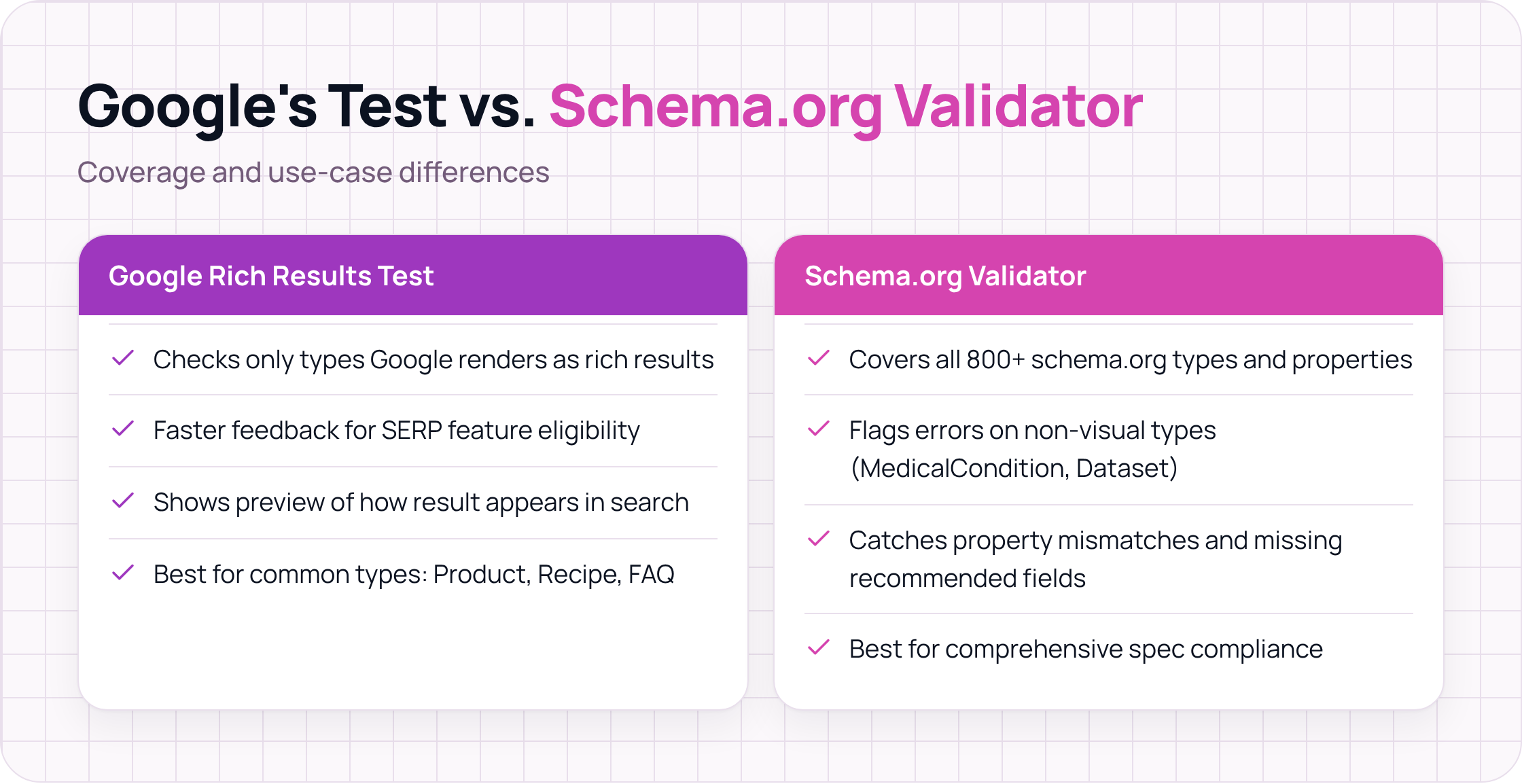
The Schema.org validator (validator.schema.org) checks your structured data against the full schema.org vocabulary, covering all 800-plus types and their properties. Google's Rich Results Test only evaluates markup that Google has chosen to render as rich results. If you use a type like MedicalCondition, Dataset, or SoftwareApplication that Google does not surface visually, Google's tool may show no errors simply because it is not looking.
That coverage gap matters in practice. The Schema Markup Validator checks all 800-plus schema.org types and their properties, regardless of whether Google supports them for rich results. Property mismatches, incorrect value types, and missing recommended fields get flagged even on types that never produce a visual SERP feature.
The trade-off is real, though. Third-party schema checkers give you broader spec coverage, but they do not show you a rich result preview. You will know your HowTo markup is technically valid against the schema.org spec, but you will not see whether Google will actually render the step-by-step block in search results. For that, you still need Google's tool as a second pass.
The Schema.org Validator offers comprehensive syntax checking and specific guidance for resolving issues, which makes it useful for catching property mismatches that slip through lighter tooling. A common example: using Text where a property expects a URL, or populating author with a plain string instead of a Person object. These will not break your page, but they reduce how confidently a parser can interpret the data.
Run validator.schema.org on every page type you publish, not just the ones targeting rich results. The spec compliance you build now is the same compliance AI engines read when they parse your pages for citations.
Step 3: Identify and Fix the Most Common Schema Markup Errors
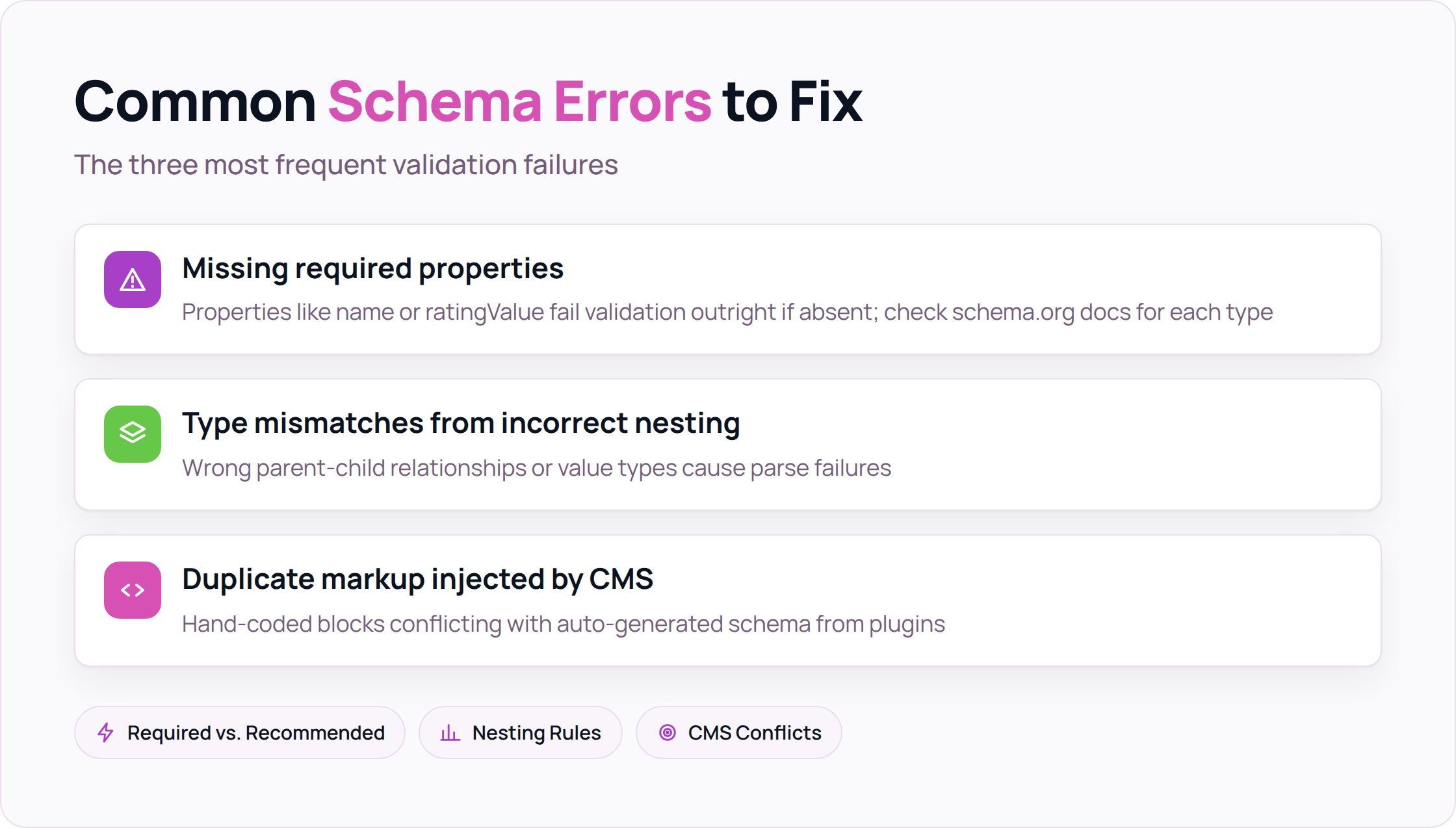
The three schema errors that fail validation most often are missing required properties, type mismatches caused by incorrect nesting, and duplicate markup injected by a CMS on top of hand-coded blocks. Fixing them requires knowing exactly what each validator flags and why, not just re-running the tool until the red disappears.
Missing required properties
Schema.org documentation splits properties into two tiers, and the distinction matters in practice. A required property (like name on a Product or ratingValue on an AggregateRating) will fail Google's Rich Results Test outright if absent. A recommended property (like description or image) will not break validation, but its absence reduces the chance of a rich result rendering.
The numbers: a 2026 audit of 5,000 production sites found that 71% deploy at least one schema type, but only 22% pass Google's Rich Results Test, with missing required fields as the leading cause. Check the schema.org type page for your specific type before assuming a property is optional.
Type mismatches and incorrect nesting
A misplaced author object is one of the cleaner examples of how nesting errors break schema silently. If you declare author as a plain string ("author": "Jane Smith") instead of a Person object ("author": {"@type": "Person", "name": "Jane Smith"}), Google's parser accepts the markup but cannot resolve the entity. The author never connects to a Knowledge Graph entry, and any sameAs or url properties you intended to attach become unreachable.
The same problem appears with Organization nested inside BreadcrumbList, or ImageObject placed where a plain URL string is expected. The validator will flag the mismatch with a message like "The property X is not recognized by the type Y" or "Expected type URL, got ImageObject." Read those messages literally. They tell you exactly which property received the wrong value type, and the fix is almost always a structural change, not a content one.
Duplicate markup from CMS injection
Many CMS platforms, including WordPress with Yoast or RankMath active, inject their own schema blocks automatically. If you have also hand-coded a schema block or added one through a separate plugin, you can end up with two Article or two WebPage entities on the same page. Validators will flag this as a duplicate type warning. Google's behavior in that case is inconsistent: it may merge the blocks, use one and ignore the other, or surface an error in Search Console.
The fix is to audit your page source for multiple <script type="application/ld+json"> blocks and consolidate them into one. If your CMS generates schema automatically, either disable that feature or extend the generated block rather than adding a second one alongside it.
Step 4: Confirm Fixes in Google Search Console
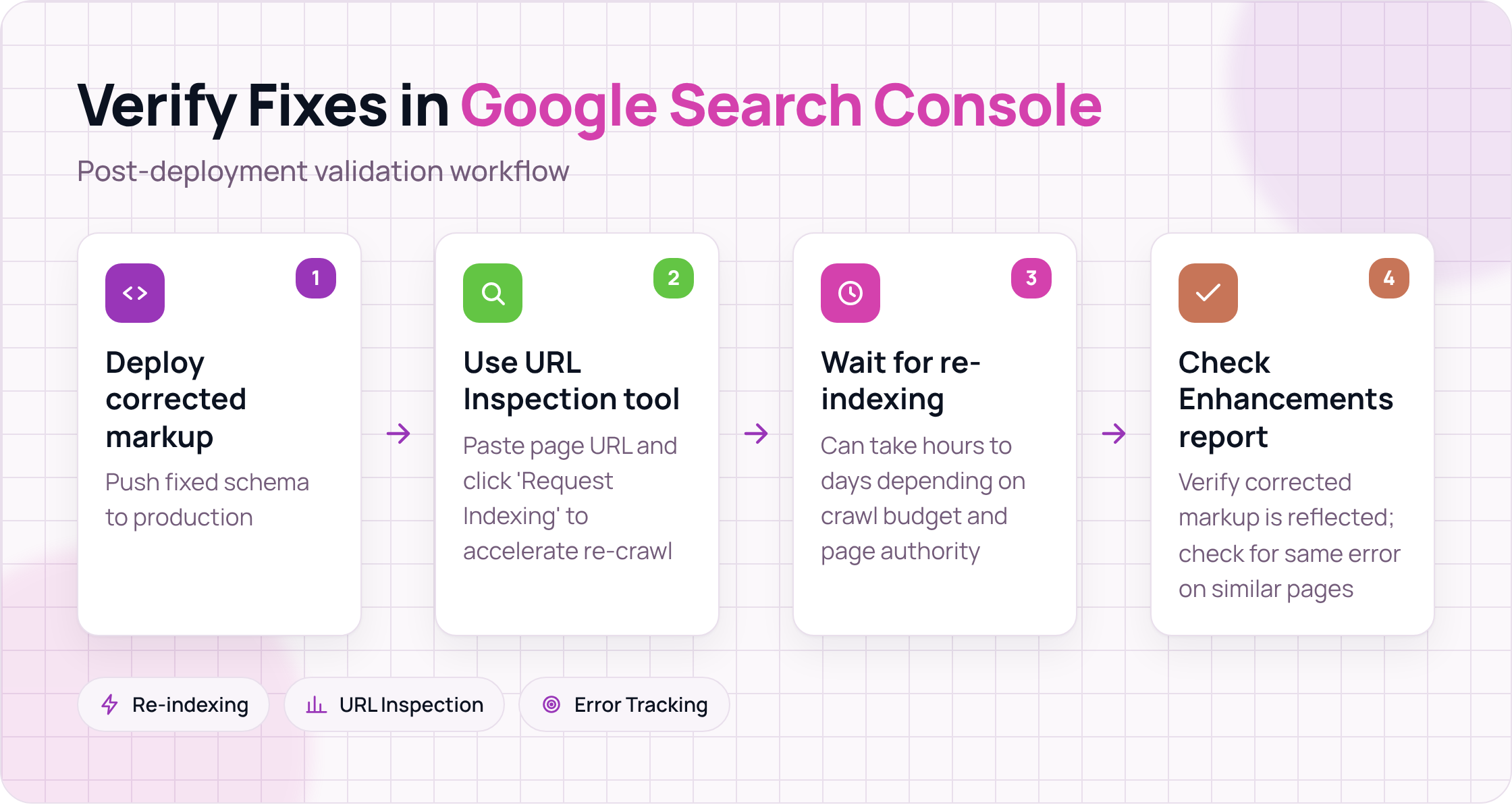
After you fix errors and redeploy, do not assume the problem is resolved. Google's crawler needs to re-index the page before Search Console reflects the change, and that can take anywhere from a few hours to several days depending on your crawl budget and page authority.
The fastest way to accelerate re-indexing is to use the URL Inspection tool in Search Console. Open the tool, paste your page URL, and click "Request Indexing." This does not guarantee immediate re-crawling, but it moves the page higher in Google's crawl queue. Once Google re-crawls the page, the Enhancements report will update to reflect the corrected markup.
One thing to watch: Search Console reports schema errors at the page level, but it groups them by error type across your site. If you fixed a missing name property on one product page, check whether the same error appears on other product pages in the same report. A single template change often introduces the same error across hundreds of URLs simultaneously, and fixing it in one place fixes all of them.
Frequently Asked Questions
What is the difference between the Rich Results Test and the Schema Markup Validator?
The Rich Results Test checks whether your markup qualifies for specific visual features in Google Search, like review stars or FAQ dropdowns. The schema markup validator at validator.schema.org checks your markup against the full schema.org vocabulary, covering types and properties that Google does not render as rich results. Use the Rich Results Test to confirm eligibility for SERP features, and use the schema.org validator to confirm spec compliance across all your schema types.
Does passing a schema markup validator guarantee rich results?
No. Passing validation confirms that your markup is syntactically correct and uses recognized schema.org types and properties. Google applies additional quality signals before deciding to render a rich result, including content quality, page authority, and whether the markup accurately reflects the visible page content. Validation is a necessary condition, not a sufficient one.
How often should you run a schema markup validator on your site?
Run a full schema audit whenever you make significant changes to your site templates, install or update a CMS plugin that touches structured data, or add a new page type. For high-traffic pages, a monthly spot-check using the Rich Results Test and Search Console's Enhancements report is a reasonable baseline. Schema errors introduced by a template change can affect hundreds of pages simultaneously, so catching them early matters.
Can a page have too much schema markup?
Yes, in a specific sense. Adding schema types that do not accurately describe the page content, or stacking multiple competing entities of the same type, can confuse parsers and trigger warnings in Search Console. Google's guidance is clear: markup should describe the primary content of the page, not every tangentially related entity. A blog post about a product does not need full Product markup unless the page is itself a product listing.
What schema types are most likely to produce rich results in 2026?
Google currently renders rich results for a defined set of types including Product, Recipe, FAQPage, HowTo, Article, Event, JobPosting, LocalBusiness, and Review. The full list is documented in Google's structured data feature guides. Types outside that list, such as Dataset or SoftwareApplication, may be parsed by Google and used for other purposes, but they do not currently produce visual SERP features.
Why does my schema look correct but still fail validation?
The most common cause is a value type mismatch. A property that expects a URL receives a plain string without the ` prefix, or a property that expects a Person object receives a name string instead. A second common cause is using a property that belongs to a different schema type. For example, isbn is a property of Book, not Article`. The validator message will usually name the property and the type it does not belong to, which points you directly to the fix.
If you want to connect your schema validation workflow to a broader SEO monitoring setup, visit Seorav's integrations page to see how Seorav fits into your existing stack. Catching schema errors early is faster when your tools share data rather than operate in separate tabs.
Keep reading

AI Visibility Tools for Ecommerce Brands That Actually Move the Needle in 2025
We tested 11 ai visibility tools for ecommerce brands over 8 weeks. See which platforms track citations, cover your catalog, and justify their cost.

How to Train AI Writing Tools to Follow Your Content Style Guide
Learn how to train a content style guide into AI writing tools with a five-layer system covering persistent prompts, voice samples, and drift audits.

Writing Content That AI Tools Actually Want to Cite
Learn how ai tools for generating content optimized for ai search citations work, and structure your pages so AI engines extract and quote them reliably.