Schema Markup for AI Search Engines: What to Add and How to Do It

Last updated: 3 November 2026
Schema markup for AI engines works by labeling entities and relationships on your page so retrieval models can classify content with confidence instead of inferring meaning from prose alone. The schema types most likely to earn citations are Article, FAQPage, HowTo, Product, and Organization. This typed data feeds directly into how AI systems decide whether your content deserves attribution in their responses. Implementing the right schema requires matching your content structure to the schema type that best describes what you offer.
The numbers are concrete: 71% of pages cited by ChatGPT include structured data, compared to significantly lower rates among uncited pages, a pattern Otterly's analysis of AI search citations traces across multiple engine types.
Traditional crawlers read schema to generate rich results in SERPs. LLMs use it differently. When a model ingests a page, it builds an internal representation of entities and their relationships. Schema accelerates that process by making relationships explicit. A HowTo block tells the model there are discrete steps with a defined sequence. An FAQPage block signals that specific question-answer pairs exist and can be extracted verbatim. Without schema, the model derives those structures from prose, and that inference introduces ambiguity that works against you.
One honest caveat: schema is a signal, not a guarantee. A well-structured page with thin content will still lose a citation to a schema-free page with genuinely better answers. The markup amplifies what is already there; it does not substitute for substance.
Before You Start: What You Need in Place
Schema markup for AI search requires three things confirmed before you write a single line of structured data: the ability to edit your page's HTML or inject code through a tag manager, a page that is already indexed and crawlable, and a validator to confirm your output is clean.
Access: CMS, Codebase, or Tag Manager
How you add schema depends entirely on your setup. WordPress users can inject JSON-LD through a plugin like Rank Math or directly into a page template. Webflow and Ghost both support custom code embeds at the page level. If you have neither CMS access nor developer support, Google Tag Manager works as a fallback: you can fire a Custom HTML tag containing your JSON-LD on specific URL patterns without touching the codebase.
The trade-off is real. Tag manager-injected schema can occasionally be missed by crawlers if the page is fetched before the tag fires, so native injection is preferable when available.
Baseline Technical Checks Schema Cannot Fix
Structured data does not rescue a page with deeper technical problems. Before adding any markup, confirm these three things:
- The page returns a 200 status code (not a redirect chain or soft 404)
- It is not blocked by a
noindextag orrobots.txtdisallow rule - The core content renders in HTML, not exclusively via client-side JavaScript
Globerunner's 2026 structured data audit guide flags JavaScript-only rendering as one of the most common reasons schema goes unread, even when the markup itself is technically valid. Fix these issues first. Schema on an unindexed page is invisible.
Tools You Will Use
| Tool | Purpose | Cost |
|---|---|---|
| Google's Rich Results Test | Validate schema syntax and preview rich result eligibility | Free |
| Schema Markup Validator (schema.org) | Catch property errors and deprecated types | Free |
| Google Search Console | Confirm indexing status and monitor structured data errors post-deploy | Free |
A crawl tool like Screaming Frog (free up to 500 URLs) is useful if you are auditing an existing site for missing or broken markup across multiple pages. For a single-page implementation, the three above are sufficient.
One limitation worth naming: none of these tools tell you whether AI engines are actually reading and citing your schema. Validation confirms syntax; it does not confirm AI visibility. Keep that gap in mind as you work through the steps below.
Step 1: Choose the Right Schema Types for Your Content
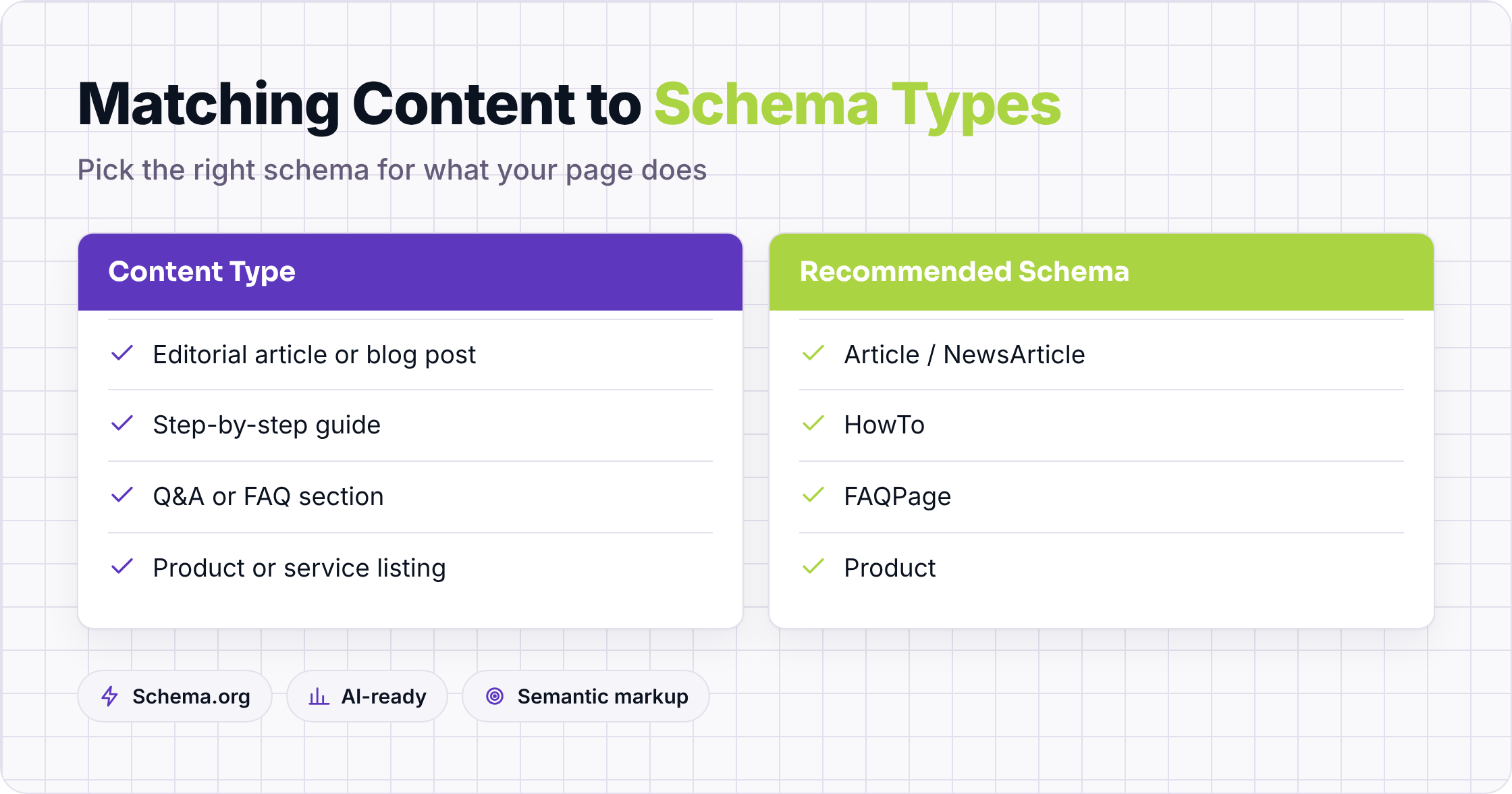
Start by matching your schema type to what the page actually does. Article schema signals authorship and publish date. HowTo breaks a process into discrete, quotable steps. FAQPage surfaces question-and-answer pairs that AI engines can extract verbatim. Product schema anchors price, availability, and review data. Get the type wrong and the structured data you add may be syntactically valid but semantically useless to a retrieval model.
Mapping Content Types to Schema Vocabulary
The core vocabulary lives at Schema.org's full type hierarchy, but most content teams only need four types to cover the majority of their pages:
| Content type | Recommended schema | Key properties AI engines use |
|---|---|---|
| Editorial article or blog post | Article / NewsArticle | headline, author, datePublished, dateModified |
| Step-by-step guide or tutorial | HowTo | step, name, text, totalTime |
| Q&A or support content | FAQPage + Question | name, acceptedAnswer |
| Product or service page | Product | name, offers, aggregateRating |
The numbers on adoption are telling: Evertune's structured data analysis found that schema markup explicitly identifies whether numbers represent phone numbers, prices, or addresses, giving AI search engines a disambiguation layer that plain text cannot provide. Without it, a retrieval model has to guess from context, and guesses introduce noise into citations.
Why Organization and Person Schema Anchor E-E-A-T Signals
Article schema alone does not tell an LLM whether the author is credible. That signal comes from Person and Organization schema, which let you declare jobTitle, affiliation, sameAs links to authoritative profiles (LinkedIn, Wikipedia, Wikidata), and knowsAbout topics.
When a language model evaluates a page for citation, it runs an entity-resolution check: does this author exist as a known entity, and does the publishing organization have verifiable properties? Structured data makes that check fast and unambiguous.
Organization schema should include name, url, logo, foundingDate, and at least one sameAs reference to a third-party directory. These properties map directly to the E-E-A-T signals Google's quality rater guidelines describe, and they carry the same weight in RAG pipelines that pull context from indexed pages.
Schema Types That Help RAG Retrieval vs. Those That Do Not
FAQPage, HowTo, and Article perform well because they produce discrete, self-contained text chunks that a retrieval model can embed and match against a query. Product schema helps when the query has commercial intent. BreadcrumbList and SiteNavigationElement are useful for crawlability but contribute almost nothing to the semantic retrieval layer.
The trade-off is real. Pages that apply HowTo schema to content that is not genuinely procedural, or FAQPage to questions without clear answers, can confuse retrieval models rather than help them. A mismatch between the declared schema type and the actual content structure is worse than no schema at all: the model receives a typed signal that contradicts what it reads in the body text, and that inconsistency reduces citation confidence. Apply schema to reflect what the page actually is, not what you want it to rank for.
Step 2: Write and Embed JSON-LD for Core Page Types
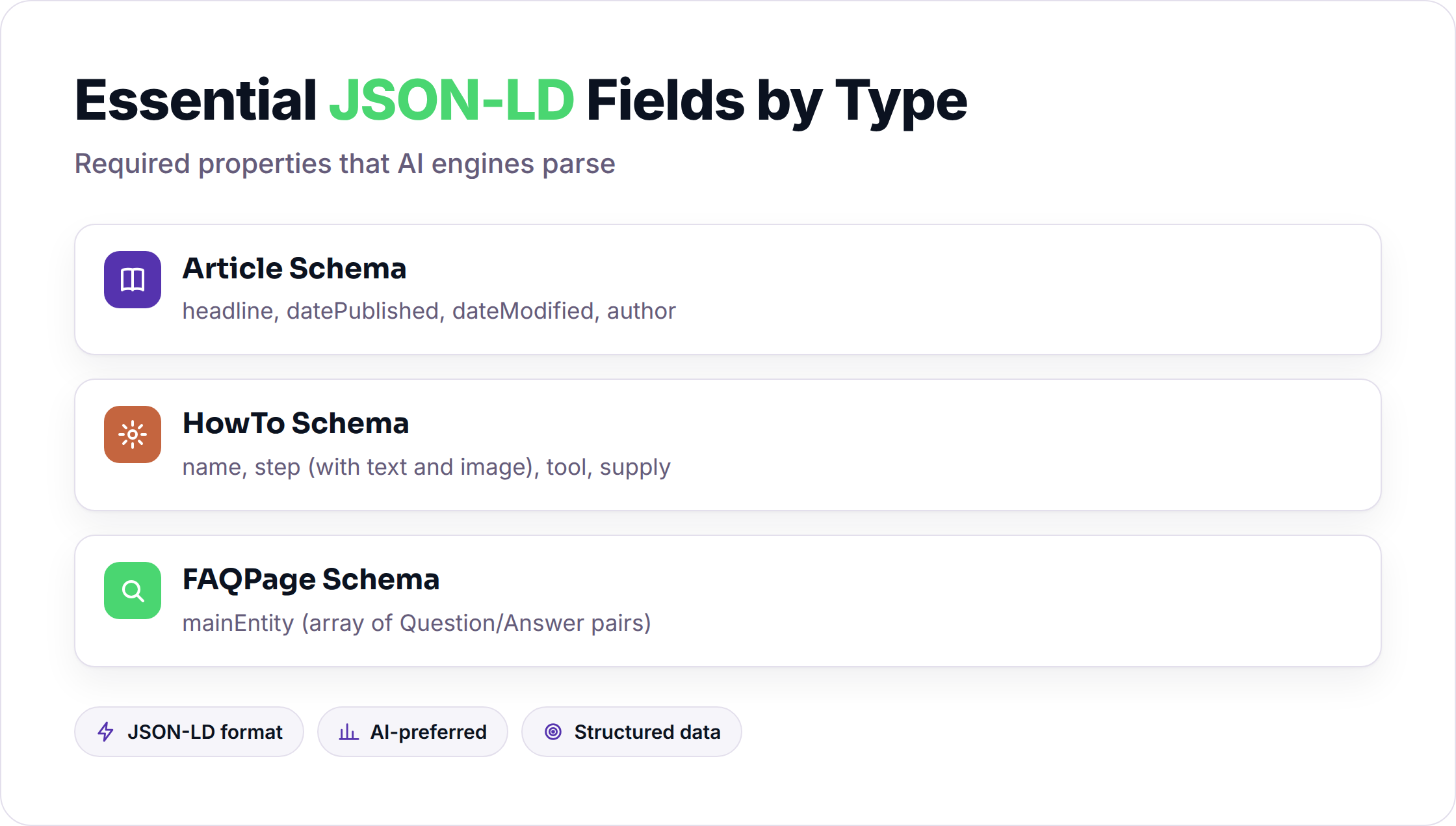
JSON-LD is the format Google and every major AI engine prefer for structured data. Place it inside a <script type="application/ld+json"> tag in the <head> of each page. Three schema types cover the majority of content sites: Article for editorial pages, HowTo for process-driven content, and FAQPage for question-answer content. Getting the required fields right on each type separates a schema block that gets parsed from one that gets ignored.
Article Schema: Required Fields, dateModified, and Author Entity Linking
A minimal Article block needs headline, datePublished, dateModified, and author. The dateModified field matters more than most teams expect. AI engines use it to assess freshness, and a stale or missing date is one of the faster ways to lose a citation to a competitor who updated their page last month.
For author, link to an entity rather than a plain string. Point @id to a Person or Organization node that includes name, url, and ideally sameAs links to authoritative profiles (LinkedIn, Wikipedia, a Google Knowledge Panel URL). Alicelabs' schema-for-AI guide recommends deploying Person markup on every key page precisely because AI engines use it to verify authorship credibility before surfacing a citation.
{
  "@context": "https://schema.org",
  "@type": "Article",
  "headline": "Schema Markup for AI Search Engines",
  "datePublished": "2025-01-10",
  "dateModified": "2026-09-15",
  "author": {
    "@type": "Person",
    "name": "Jordan Ellis",
    "@id": "https://example.com/authors/jordan-ellis",
    "sameAs": "https://www.linkedin.com/in/jordan-ellis"
  }
}
HowTo Schema: Structuring Steps So AI Engines Can Extract Them Verbatim
HowTo schema is the most directly extractable type in the spec. Each HowToStep carries its own name and text, and AI engines can lift those step objects out of your page and present them as a numbered sequence without loading any surrounding content.
The practical rule: write the text value of each step as a complete, standalone sentence. If a step only makes sense in context of the previous one, the AI engine may skip it or truncate the sequence. Keep each step under 60 words and front-load the action verb.
{
  "@context": "https://schema.org",
  "@type": "HowTo",
  "name": "How to Add JSON-LD to a WordPress Page",
  "step": [
    {
      "@type": "HowToStep",
      "name": "Install a schema plugin",
      "text": "Install a JSON-LD plugin such as Rank Math or Schema Pro from the WordPress plugin directory."
    },
    {
      "@type": "HowToStep",
      "name": "Open the page editor",
      "text": "Navigate to the page you want to mark up and open the plugin's schema settings panel."
    }
  ]
}
The trade-off here is real: if your on-page prose and your HowToStep text diverge, AI engines may flag the inconsistency and deprioritize the citation. Openhermit's 2026 analysis of JSON-LD and AI agents found that well-structured JSON-LD was the only consistent factor separating cited pages from uncited ones across a sample of agent-driven queries, but only when the schema matched the visible content exactly. Mismatches between schema and prose act as a trust signal in reverse.
FAQPage Schema: Question-Answer Pairs That Match Your On-Page Text Exactly
FAQPage works on one strict condition: the acceptedAnswer text in your schema must match what a reader actually sees on the page. Copy-paste from your rendered HTML, then paste into the schema block. Do not paraphrase.
Each Question object needs a name (the question) and an acceptedAnswer with a text value. Keep answers under 300 characters where possible. Longer answers get truncated in AI-generated responses, and the truncation point is rarely where you would choose to cut.
{
  "@context": "https://schema.org",
  "@type": "FAQPage",
  "mainEntity": [
    {
      "@type": "Question",
      "name": "Does schema markup directly improve AI search rankings?",
      "acceptedAnswer": {
        "@type": "Answer",
        "text": "Schema markup does not directly change rankings, but it increases the probability that AI engines cite your page by making content classification faster and more reliable."
      }
    },
    {
      "@type": "Question",
      "name": "Which schema type works best for blog posts?",
      "acceptedAnswer": {
        "@type": "Answer",
        "text": "Use Article or NewsArticle schema for blog posts. Include headline, datePublished, dateModified, and a linked author entity to maximize citation eligibility."
      }
    }
  ]
}
Step 3: How to Use Schema Markup for AI Engines at Scale
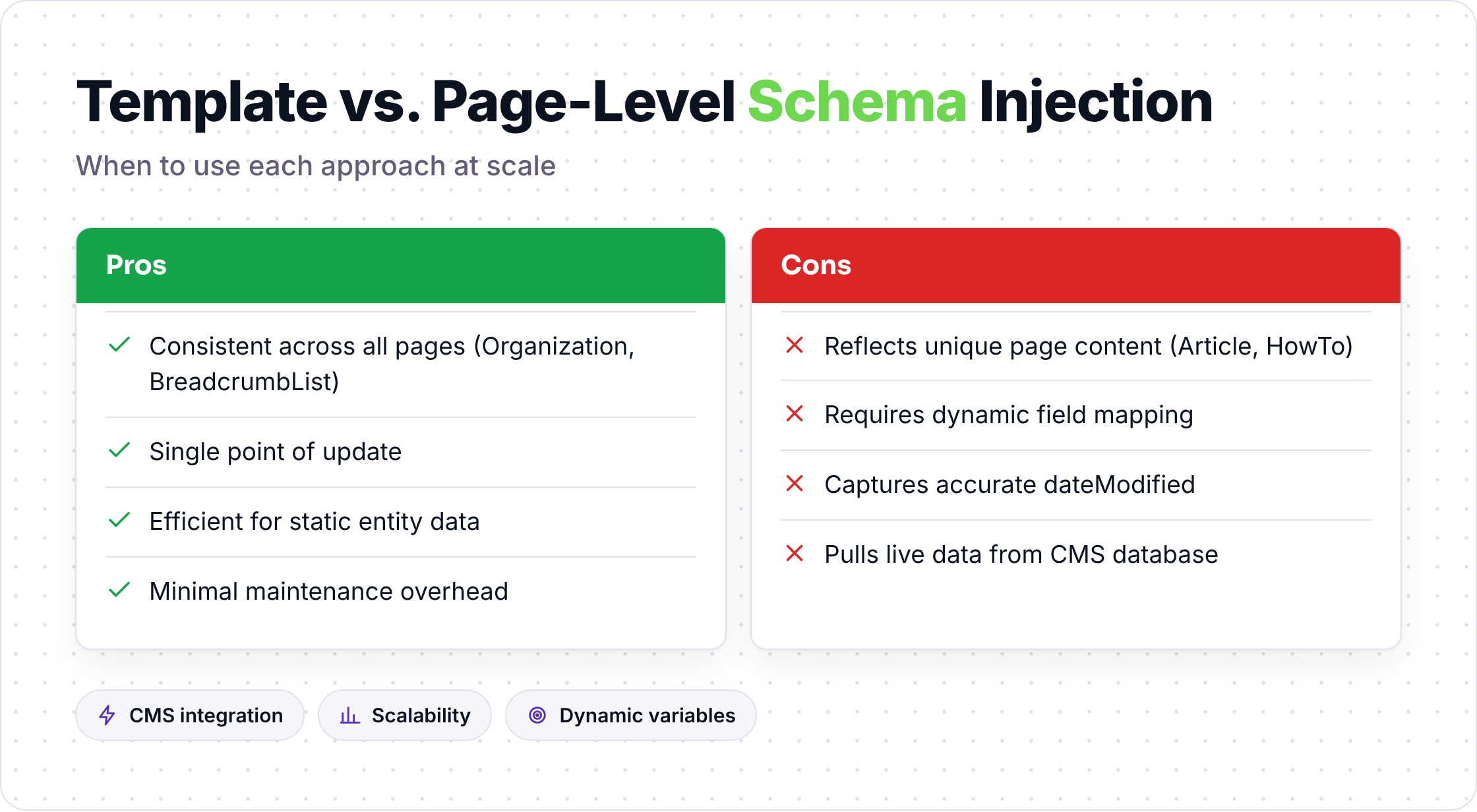
Single-page implementation is straightforward. Scaling across hundreds of pages requires a different approach, and the failure modes shift accordingly.
Templated Schema vs. Page-Level Schema
Most CMS platforms let you inject schema at the template level, which means every page of a given type inherits the same block. That works well for Organization and BreadcrumbList, where the values are consistent across pages. It breaks down for Article and HowTo, where headline, dateModified, and step content must reflect the specific page.
The practical approach: use template-level injection for site-wide entity schema (Organization, WebSite), and use dynamic field mapping for page-specific types. In WordPress, Rank Math and Yoast both support dynamic variables that pull the post title, publish date, and author from the database at render time. In a headless setup, generate JSON-LD server-side and inject it into the <head> before the HTML is served.
Auditing Existing Schema for Errors
If you are adding schema to a site that already has some markup, run a crawl with Screaming Frog before you add anything new. Export the structured data report and look for three things: duplicate @type declarations on the same page, dateModified values that predate datePublished, and author fields that contain plain strings instead of entity references.
Duplicate type declarations are the most common issue on sites that have layered multiple plugins over time. Two conflicting Article blocks on the same page give a retrieval model contradictory signals, and the result is usually that neither block is trusted.
Monitoring After Deployment
Google Search Console's "Enhancements" section surfaces structured data errors within a few days of indexing. Check it after every schema deployment. The errors it flags (missing required fields, invalid property values) are the same issues that reduce AI citation probability.
One thing Search Console does not show: whether AI engines are actually using your schema. For that, you need to run manual queries in ChatGPT, Perplexity, and Google AI Overviews and check whether your page appears as a cited source. It is a manual process, and there is no automated equivalent yet. Build it into your content review cycle rather than treating it as a one-time check.
Frequently Asked Questions
Does schema markup directly improve AI search rankings?
Schema markup does not directly change rankings. It increases the probability that AI engines cite your page by making content classification faster and more reliable. Pages with clean, matched schema give retrieval models less work to do, and that efficiency tends to favor citation.
Which schema type is most important for AI citation?
FAQPage and HowTo produce the most directly extractable content chunks, so they tend to have the strongest effect on AI citation rates. Article schema with a linked author entity matters most for credibility signals. If you can only implement one type, match it to what your page actually does.
Can you add multiple schema types to a single page?
Yes, and for most content pages you should. A how-to article might carry Article, HowTo, and Organization schema simultaneously. Each type addresses a different retrieval signal. The only rule is that each type must accurately describe the content it annotates. Stacking schema types that do not reflect the page's actual structure creates contradictions that reduce citation confidence.
Does schema markup help with Google AI Overviews specifically?
Google has not published a direct confirmation that schema markup influences AI Overview selection. However, the same entity-resolution and content-classification mechanisms that govern standard search quality also apply to AI Overviews. Pages with clean structured data are easier to classify, and easier classification correlates with higher citation rates across all AI-driven surfaces, including AI Overviews.
How often should you update schema markup?
Update dateModified every time you make a substantive change to the page content. For HowTo and FAQPage schema, update the structured data whenever the on-page text changes, since a mismatch between schema and visible content is a trust signal in reverse. Organization schema typically only needs updating when your business details change.
What happens if your schema has errors?
Syntax errors prevent the schema block from being parsed at all. Property errors (wrong value types, missing required fields) reduce the signal quality without necessarily breaking parsing. In both cases, the page falls back to prose-only classification, which is slower and less reliable for retrieval models. Validate every schema block before deployment using Google's Rich Results Test and the Schema Markup Validator at schema.org.
If you want to see how structured data fits into a broader AI search strategy, Seorav's integrations page shows the tools and workflows the platform connects to. It is a practical starting point if you are looking to move from manual schema implementation to something more systematic.
Keep reading

Tools to Track When Competitors Get Cited in AI Search Results
What solutions track competitor citations in AI-generated search responses? Compare 7 tools including Profound, Semrush, and Otterly across engine coverage

Scaling Content Production While Keeping Your Brand Voice Intact
Learn how to scale content without losing brand voice using voice docs, brief templates, and risk-calibrated review. Practical framework with real numbers.
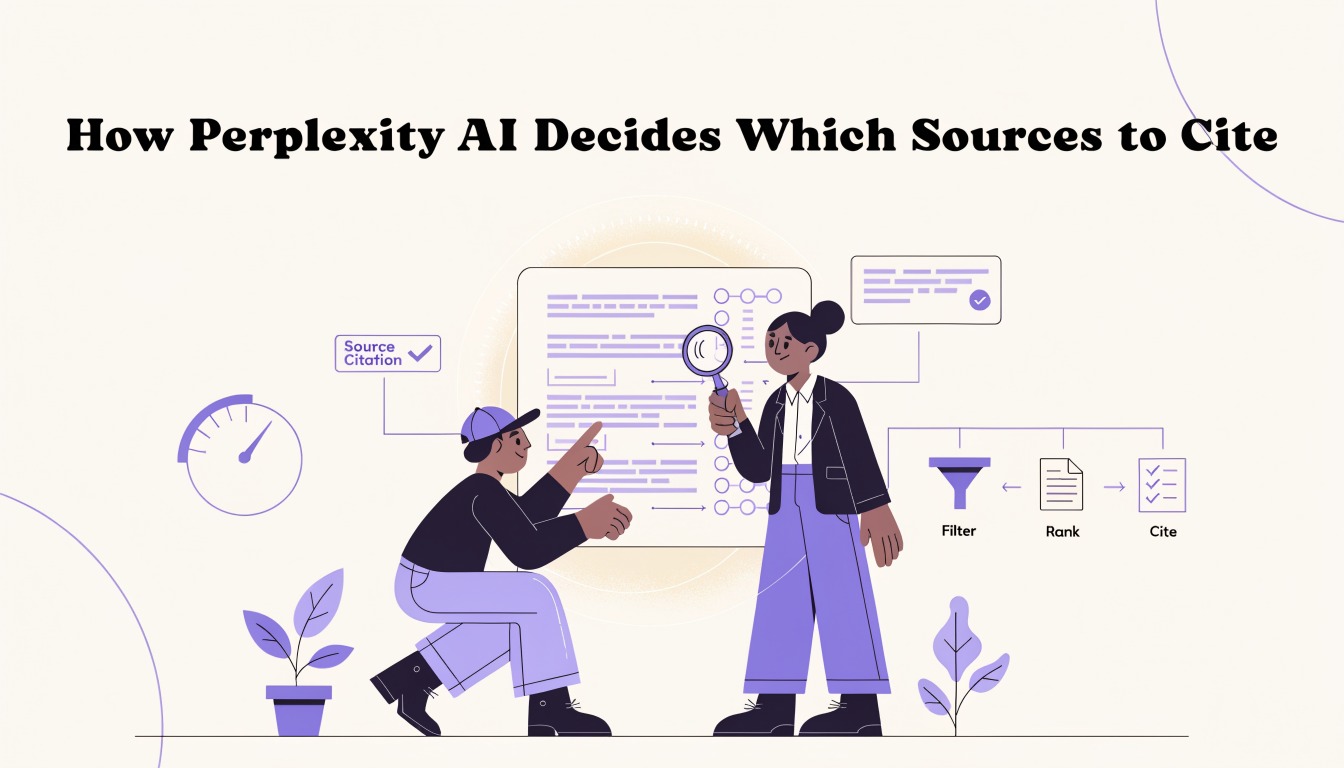
How Perplexity AI Decides Which Sources to Cite
Learn how Perplexity AI ranks content through its RAG pipeline, covering freshness, domain authority, semantic matching, and citation graph signals.