How to Measure Your Brand Mentions in ChatGPT (and Actually Act on the Data)
Last updated: 7 August 2026
Measuring brand mentions in ChatGPT requires three parallel approaches: running periodic prompts to log direct citations, setting up automated tracking to catch references over time, and monitoring GA4 for traffic from AI-generated recommendations pointing to your site. Each method captures different mention types, from explicit name-drops to indirect attribution. Together they reveal how often ChatGPT surfaces your brand, which topics trigger mentions, and whether that visibility converts to actual visits. The challenge is connecting these signals into one coherent picture.
Word count: 82
Standard rank-tracking tools, including most SEO platforms built before 2023, were designed to crawl search engine results pages. They pull positions, featured snippets, and SERP features. They do not query ChatGPT, log its responses, or detect whether your brand appeared in an answer. A tool that tells you where you rank on Google page one tells you nothing about whether ChatGPT recommended a competitor instead of you when someone asked "best [your category] tools."
One honest limitation to name upfront: ChatGPT does not expose a public citation API. There is no endpoint you can call to ask "did my brand appear in responses today?" Every method in this tutorial is a proxy. You are either querying the model yourself and logging what comes back, or inferring AI-driven traffic from GA4's referral and direct channels. A structured prompt library of 15 to 20 conversational queries, run consistently, is currently the closest thing to a reliable measurement baseline available.
That constraint is real, but it does not make measurement impossible. It makes methodology matter.
Before You Start: What You Need in Place
To measure your brand mentions in ChatGPT, you need three things ready before you run a single query: a ChatGPT Plus subscription or an OpenAI API key, a GA4 property with UTM tracking active on your inbound links, and a defined list of brand keywords and product terms you want to monitor.
Access and Tooling
ChatGPT Plus ($20/month as of 2025) gives you access to web-browsing mode, which actually surfaces external sources. Without it, the model draws from training data only, making citation tracking unreliable. If you want to automate queries at scale, an OpenAI API key is the cleaner path. Keyword.com's breakdown of AI brand tracking notes that manual query runs are fine for small keyword sets but become unmanageable past 20 to 30 prompts, and that's where API-based tooling earns its cost.
Your brand keyword list should cover at minimum: your company name, your primary product names, common misspellings, and any category terms where you want to appear (for example, "best project management tool for agencies"). Keep this list in a shared doc. You will reuse it across every query run.
Baseline Data to Collect Now
Before you start tracking, pull three numbers from GA4 and record them somewhere you will not lose them.
First, your current organic search traffic for the past 90 days. Second, your referral traffic sources, specifically any entries showing chatgpt.com, chat.openai.com, or the (direct)/(none) bucket that often absorbs untagged AI referrals. Third, if you have UTM parameters on any content you have shared publicly, check whether any AI-referred sessions are already appearing under utm_source=chatgpt or similar.
The trade-off here is real: GA4 only shows you traffic that arrived on your site. It tells you nothing about how many times your brand appeared in a ChatGPT response where the user did not click through. A brand mention with no click is still a brand impression, and GA4 will never capture it. This is a structural gap in the approach, not a configuration problem you can fix.
Beamtrace's guide to tracking ChatGPT brand mentions recommends establishing this baseline before your first manual query run, so you have a pre-measurement snapshot to compare against once you start actively monitoring. That comparison is what turns raw mention counts into a trend you can act on.
Step 1: Build a Structured Prompt Set to Test Your Own Brand Mentions

To measure your brand's presence in ChatGPT, you need a repeatable prompt library that mirrors how real buyers search. Write 20 to 50 prompts across five intent categories (comparison, recommendation, problem-solution, category-definition, and use-case), run them on a fixed schedule, and log every response. That structure turns a one-off curiosity check into a trend you can act on.
Write Prompts That Surface Real Citations
Category-level prompts work better than branded ones because ChatGPT is more likely to cite third-party sources when the query is not explicitly about you. Ten templates to start with:
- "What are the best [your category] tools for [target persona]?"
- "How do I solve [core problem your product addresses]?"
- "Compare [your category] platforms for [use case]."
- "What should I look for in a [your product type]?"
- "Which [your category] tools do professionals recommend?"
- "What's the difference between [your approach] and [alternative approach]?"
- "How do [your category] tools handle [specific feature]?"
- "What are common mistakes when choosing [your category] software?"
- "Which [your category] platforms are best for [company size or industry]?"
- "What do experts say about [your category] in 2026?"
Run each prompt in a fresh session. ChatGPT's context window carries prior conversation bias, so a clean session gives you a cleaner signal.
Record Results Systematically
A simple spreadsheet handles this well. Track six columns: prompt text, date run, model version (GPT-4o, GPT-4, etc.), whether your brand was mentioned, mention type (cited with link, named without link, or absent), and which competitors appeared. Rankability's tracking framework recommends logging at minimum weekly to catch shifts tied to model updates or content changes on your end.
That last column matters as much as the first. Knowing which competitor gets cited instead of you tells you exactly which content gap to close.
How ChatGPT Selects What to Cite
ChatGPT's citation behavior is shaped by three factors: topical authority (does your site consistently cover this subject area?), recency (has the content been updated or republished recently?), and structural clarity (is the content formatted so a model can extract a clean, quotable answer?).
The numbers here are instructive. In a 2024 Ahrefs analysis of AI brand mention monitoring, structured content with clear headers, defined claims, and explicit source citations consistently outperformed longer, unstructured pages in AI engine responses.
One trade-off worth naming: this approach works well for established categories, but breaks down when your product sits in a niche the model has not seen much training data on. In those cases, ChatGPT may default to category-adjacent brands rather than ignoring the prompt entirely. Your absence in results is not always a content quality problem. Sometimes it reflects a data coverage gap that no single article will fix quickly. Acknowledge that before you over-invest in one content sprint.
Step 2: Set Up Automated ChatGPT Citation Tracking with Third-Party Tools

Automated citation tracking works by polling ChatGPT and other AI engines on a scheduled cadence with a defined prompt set, then logging whether your brand appears in the response. Platforms like Brandwatch, Semrush, and Profound each take a different approach, and the right choice depends on how frequently you need data, how many prompts you want to monitor, and what you are willing to spend.
Which Platforms Cover This in 2026
Brandwatch added AI mention tracking to its media intelligence suite in 2024, covering ChatGPT, Perplexity, and Gemini responses alongside traditional web mentions. Semrush's AI Overviews report focuses primarily on Google's AI-generated results rather than ChatGPT directly, making it a better fit for teams whose priority is organic search visibility rather than conversational AI citation. Profound sits closer to the ChatGPT-native end: it runs structured prompt queries against live models and surfaces citation frequency by prompt, brand, and competitor.
Most tools in this category poll AI engines between once daily and once weekly, a cadence breakdown documented across current AI monitoring tools. That update frequency matters more than it sounds. ChatGPT's responses shift as its training data and retrieval behavior change, so a weekly snapshot can miss a short-term citation drop that a daily poll would catch.
Configuring Keyword Alerts
Once you have chosen a platform, the configuration step most teams skip is building a prompt library that mirrors how real buyers search. Generic brand-name alerts ("mention of [YourBrand]") catch direct references but miss the cases where a competitor gets cited in response to a question you should be answering.
A more complete setup includes three alert types:
- Brand-name mentions
- Product-category prompts where you want to appear (for example, "best project management tool for remote teams")
- Comparison prompts (for example, "[YourBrand] vs [Competitor]")
Set each to trigger a notification on both appearance and disappearance. The disappearance alert is the one most teams forget, and it is often the first signal that a competitor has published something that displaced you.
The Trade-Off Between Paid Platforms and Manual Audits
Paid platforms give you coverage and frequency you cannot replicate manually. The trade-off is cost and context. Most enterprise-tier AI monitoring tools run $500 to $2,000 per month, and they return citation data without explaining why a response changed.
Manual prompt audits, where a team member runs a defined prompt set in ChatGPT and logs the output in a spreadsheet, cost nothing beyond time. Growbydata's tracking methodology puts the minimum viable manual cadence at weekly runs across 20 to 30 core prompts, which takes roughly two to three hours per cycle. That is sustainable for smaller teams but breaks down at scale. If you are monitoring 150+ prompts across four AI engines, manual audits become inconsistent fast, and inconsistency in the baseline makes trend data unreliable.
The practical answer for most teams: use a paid tool for weekly frequency and breadth, and run a manual audit monthly on your 10 highest-priority prompts to pressure-check what the platform is reporting.
Step 3: Track AI Search Referral Traffic in GA4

GA4 can capture referral sessions from ChatGPT and Perplexity when users click a cited link and land on your site. To isolate that traffic, you need a custom channel group that matches the hostnames chatgpt.com, chat.openai.com, and perplexity.ai as referral sources. Without that configuration, GA4 buries those sessions inside the generic "Referral" bucket alongside every other non-search referrer.
Setting Up the Channel Grouping and Hostname Filter
Inside GA4, go to Admin > Data Settings > Channel Groups and create a new channel called "AI Referral." Set the condition to: Session source contains chatgpt.com OR chat.openai.com OR perplexity.ai. Save it, then give the data 24 to 48 hours to populate. Orbit Media's GA4 tracking walkthrough covers the same three-layer approach: a filter, an exploration, and a custom channel group, in that order.
For the exploration report, go to Explore > Blank Exploration and set the dimensions to Session source/medium and Landing page. Set the metric to Sessions. Filter by your new "AI Referral" channel. This view shows you which pages on your site are receiving AI-referred clicks and from which platform, which is the data you need to decide where to invest in content updates.
Reading the Data Without Over-Interpreting It
AI-referred traffic volumes are small for most sites right now. A site pulling 50,000 monthly organic sessions might see 200 to 800 AI referral sessions per month, depending on category and content structure. Do not benchmark against organic search. Benchmark against your own prior month.
The more useful signal is landing page distribution. If 70% of your AI referral sessions land on one blog post, that post is doing something structurally right. Study it. Replicate the format, the claim density, and the citation pattern across other pages you want ChatGPT to surface.
One limitation to keep in mind: a meaningful share of ChatGPT-influenced visits will never appear in your GA4 AI Referral channel. Users who read a ChatGPT response, close the tab, and then search your brand name on Google will show up as organic branded search, not AI referral. The actual influence of ChatGPT on your traffic is almost certainly larger than what GA4 can directly attribute.
Connecting GA4 Data Back to Your Prompt Audit
The three-layer system only works if you close the loop between your prompt audit results and your GA4 data. Run your prompt audit, note which pages ChatGPT cited, then check whether those pages show up in your GA4 AI Referral exploration. If ChatGPT is citing a page but GA4 shows zero AI referral sessions to it, one of two things is happening: users are not clicking through, or the citation is appearing without a hyperlink. Both are worth investigating separately.
Frequently Asked Questions
Can I track brand mentions in ChatGPT without paying for a tool?
Yes. A manual prompt audit using a free ChatGPT account and a spreadsheet costs nothing beyond your time. The limitation is that free-tier ChatGPT does not use web browsing by default, so responses draw from training data rather than live sources. For citation tracking to be meaningful, you need either ChatGPT Plus ($20/month) or an OpenAI API key to access models with retrieval capability.
How often should I run my prompt audit?
Weekly is the minimum cadence that produces usable trend data. ChatGPT's citation behavior can shift after model updates, and those updates do not follow a predictable schedule. A monthly audit will catch large changes but will miss the shorter windows where a competitor gains or loses citation share. If you are running 20 to 30 prompts manually, a weekly run takes roughly two hours.
Why does my brand appear in some ChatGPT responses but not others?
ChatGPT's responses are not deterministic. The same prompt run twice in the same session can return different citations. Factors that influence citation frequency include how consistently your site covers a topic, how recently your content was updated, and how clearly your pages state a specific claim the model can quote. Structural formatting, meaning clear headers, defined answers, and explicit source links, tends to improve citation frequency over time, though there is no published formula from OpenAI.
Does appearing in ChatGPT responses actually drive traffic?
It does, but the volume is modest compared to organic search for most sites. The more significant effect is brand familiarity: a user who sees your brand cited in a ChatGPT response is more likely to recognize and click your result in a subsequent Google search. GA4 will attribute that session to organic branded search, not to ChatGPT, so the actual influence is harder to measure than the direct referral data suggests.
What is the difference between a ChatGPT citation and a ChatGPT mention?
A citation includes a hyperlink to your site within the ChatGPT response. A mention is a reference to your brand name or product without a link. Both have value: citations drive direct referral traffic, while mentions build familiarity. Your prompt audit should log both separately, because the ratio of citations to mentions tells you something about how the model treats your content as a source versus a reference point.
How do I know if a competitor is gaining citation share at my expense?
Log the competitor column in your prompt audit spreadsheet consistently. If a competitor's name starts appearing in responses where it previously did not, and your brand drops out of those same responses, that is a citation share shift. Cross-reference the timing with any content they published recently. In most cases, a competitor gaining citation share has either published a more structured piece on the topic or earned coverage from a source the model weights heavily.
Ready to Build a Smarter Measurement System?
Knowing how to measure brand mentions in ChatGPT is one part of a broader AI visibility strategy. If you want help building the prompt library, configuring GA4 correctly, or identifying which content gaps are costing you citation share, visit Seorav to learn more. The team works with brands that want structured, repeatable approaches to AI search visibility, not one-off audits that go stale in 60 days.
Keep reading
Ranking in Google's AI Search: The Deterministic Signals That Actually Move the Needle
Learn how do you rank in SGE with the three signals Google's AI uses to cite sources: schema markup, entity salience, and structured factual claims.
Why AI Ignores Your Content (And How to Fix It)
Learn how to avoid AI content that gets ignored by LLMs. Covers RAG retrieval signals, schema, entity salience, and an answer-first structure checklist.
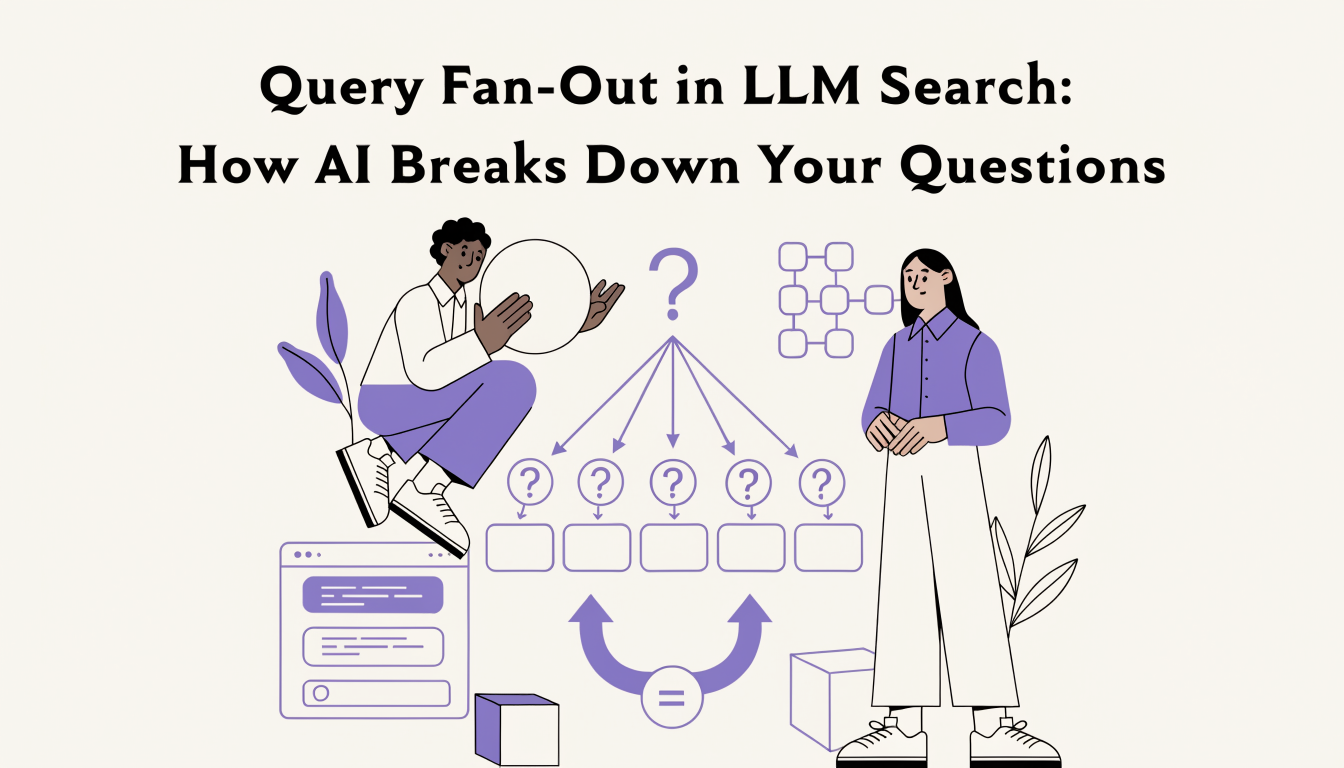
Query Fan-Out in LLM Search: How AI Breaks Down Your Questions
Learn what query fan-out in LLM search is, how AI splits your prompt into 3-8 sub-queries, and how to structure content to win more citation passes.