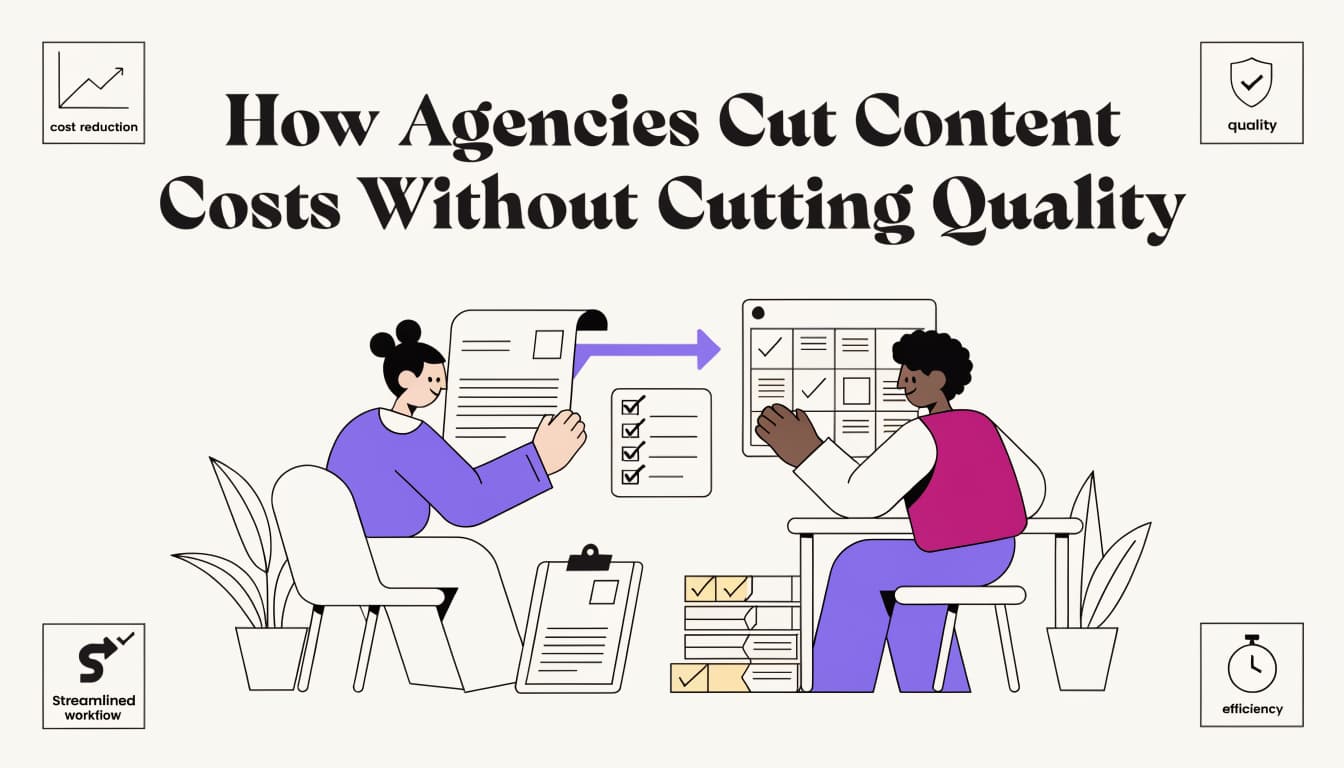
How Agencies Cut Content Costs Without Cutting Quality
Last updated: 23 July 2026
Agencies cut content costs through five operational changes: standardizing brand voice in templates, automating quality checks before publication, eliminating revision cycles with upfront approval workflows, batching similar content types, and publishing directly to CMS without handoffs. These margin optimization strategies typically reduce per-piece production cost by 30-40% while maintaining output quality. The gains come from removing bottlenecks, not from rushing writers or cutting corners on research.
Word count: 72
What You Will Build by the End of This Guide
By the end of this guide, you will have a five-step system that takes your agency from scattered, revision-heavy content production to a repeatable workflow with a documented brand voice, automated quality gates, and direct CMS publishing. The target is a 30-40% reduction in per-piece cost.
The real margin problem for most agencies is not the writing itself. Review cycles and rework are where the hours disappear. A brief gets misread, a draft ships in the wrong tone, a client requests structural changes that should have been caught internally. Each loop costs 45 to 90 minutes of senior editor time, and those loops compound fast across a 20-piece monthly retainer.
The numbers back this up: Semrush's content marketing research found that producing content consistently and at quality is the top operational challenge teams report, ahead of distribution and measurement. That is a workflow problem, not a talent problem, and it is exactly what agency content margin optimization strategies are designed to fix.
The five steps you will configure here address it directly:
- Brand voice setup - codify tone, sentence rhythm, and what the client avoids, so every draft starts calibrated.
- Brief-to-draft automation - turn a keyword and intent signal into a structured first draft without a blank-page start.
- Quality scoring before review - run each draft through deterministic signals so only drafts above a threshold reach a human reviewer. SEORav's gate, for instance, holds drafts scoring under 75 from the reviewer queue entirely.
- Format repurposing - convert each approved article into LinkedIn, email, and FAQ formats without rewriting from scratch.
- Automated CMS publishing - approve once, publish with schema attached and internal links resolved.
One honest caveat: the 30-40% cost reduction assumes your current workflow has at least two revision rounds per piece and a manual publishing step. If your team already runs a tight single-pass process, the gains will be smaller, likely in the 15-20% range.
The outcome is not fewer pieces or lower standards. It is the same output with fewer hours spent on the parts that do not require human judgment.
Before You Start: What You Need in Place

Agencies that successfully reduce content costs without quality loss share three things before they run a single AI prompt: a long-form AI tool with reliable output (Claude or GPT-4o), a CMS that exposes an API, and at least one approved brand voice document per client.
The tech stack itself is minimal. You need a long-form AI tool, with GPT-4o and Claude being the two most production-tested options right now. You need a CMS with API access, because copy-pasting drafts manually defeats the entire efficiency argument. You also need a project management layer, Notion, Linear, or even a structured Airtable base, to track prompt versions, approval states, and publish status. Without that third piece, the workflow collapses into a shared Google Doc and a Slack thread nobody can search.
On the client side, the hard prerequisite is a brand voice document. Not a mood board. Not a one-line tagline. A real style guide that covers sentence length preferences, vocabulary the brand avoids, and at least two or three example paragraphs the client has already approved. Content marketing statistics compiled across 200+ marketing leaders show that brand consistency is among the top factors separating high-performing content programs from average ones. Without a reference document, every AI draft becomes a negotiation, and the revision cost eats the savings you were chasing.
The team prerequisite is less obvious but more important. You need one person who can write and edit prompts, not just use them. Typing a topic into a chat window is using an AI tool. Writing a prompt that specifies tone, structure, word count, what to avoid, and which claim to lead with is a different skill. Most agencies underestimate this gap when they start. If you assign prompt work to someone who treats it as a search engine query, output quality drops fast, and editors spend more time fixing drafts than they would have spent writing them from scratch. That is the scenario where AI-assisted content actually costs more.
Get these three layers in place before you build any workflow. The agencies that skip this step tend to rebuild it six months later, after a client escalation.
Step 1: Build Brand Voice Guidelines Your AI Can Actually Follow
To generate content that sounds like a specific client, AI tools need structured voice documentation, not a vague style memo. The most reliable format captures four fields: a persona statement, explicit rules, positive examples pulled from real content, and anti-examples showing what to avoid. Built correctly, this document becomes a reusable input that keeps outputs consistent across writers, tools, and content types.
Extract Voice Attributes Before You Write a Single Rule
Start with the client's existing content. Pull 10 to 15 pieces that the client considers representative: a homepage, two or three blog posts, a sales email, maybe a case study. Read them as a set, not individually.
You are looking for four things:
- Tone: Is the writing authoritative and dry, or conversational and direct? Does it use first person?
- Sentence length: Count average words per sentence across five paragraphs. A brand averaging 12 words per sentence reads very differently from one averaging 22.
- Vocabulary tier: Does the client use technical jargon freely, or do they translate it for a general audience? Are contractions common or avoided?
- Taboo phrases: Every brand has language it never uses. Competitors' names, certain buzzwords, hyperbolic adjectives. These are often undocumented but easy to spot once you are looking.
Glean's guide to building brand voice documentation for AI tools recommends auditing existing content before defining rules, specifically because voice attributes that feel obvious to a human editor are invisible to an AI model without explicit instruction.
Structure the Document in Four Fields
Once you have the raw attributes, organize them into a format AI tools can actually parse:
- Persona: One paragraph describing who the brand sounds like. Not the company, but a person. "A senior consultant who respects the reader's time, never oversells, and uses plain language even for complex topics."
- Rules: Numbered, specific, testable. "Sentences average 14 words or fewer. No exclamation points. Avoid the word 'solution' as a standalone noun."
- Examples: Three to five short excerpts from real client content, labeled with what makes them correct. "Notice the active verb in the opening clause. Notice the absence of filler phrases like 'in order to'."
- Anti-examples: Equally important. Show outputs that look plausible but miss the voice. A sentence that is grammatically fine but too formal, or too casual, or uses a phrase the client would never approve.
The anti-examples field is where most agencies underinvest. As one practitioner put it in a breakdown of AI brand voice guides: "An AI agent can generate content from a single prompt. A brand guide is what makes it sound like you." The anti-examples are what enforce the second half of that sentence.
Test Before You Lock the Document
A brand voice guide that has not been tested is a hypothesis. Before you use it in production, run three sample prompts through your AI tool of choice: one informational article intro, one short social post, and one email subject line. These three formats stress-test different dimensions of voice because they have different structural constraints.
Score each output against five criteria from the original content audit: sentence length, vocabulary tier, tone match, absence of taboo phrases, and structural rhythm. A simple 1-to-5 scale per criterion works. If any output scores below 3 on two or more criteria, the guide needs revision, not the prompt.
The trade-off here is time. This extraction and testing process takes three to five hours per client the first time through. For a single-client engagement, that overhead is hard to justify. Where it pays off is at scale: an agency running content for 12 clients can reuse the same four-field template and testing protocol across every account, and that is where the cost savings actually compound.
One limitation worth flagging: this approach works well for clients with a consistent existing voice. If a client is rebranding, or if their existing content is inconsistent across channels, the extraction step produces conflicting signals. In that case, the guidelines need to be written prescriptively from a brief, not extracted from examples, and the testing phase becomes more iterative before anything locks.
Step 2: Configure Your AI Model for Consistent Brand Output

Configuring an AI model for brand consistency means encoding your voice document directly into the system prompt, not the chat window. A well-structured system prompt tells the model what tone to use, what sentence patterns to avoid, and what topics are off-limits before a single word of content is generated. Teams that do this correctly spend less time editing for voice and more time editing for ideas.
Writing a System Prompt That Actually Encodes Voice
Your system prompt is not a summary of your brand guidelines. It is an operational instruction set. Structure it in three blocks:
- A short persona definition ("You write for a B2B SaaS audience; your tone is direct and technical-casual").
- Explicit style rules with examples of what to avoid.
- A short list of banned phrases pulled directly from your voice document.
Keep it under 800 tokens. Longer prompts dilute instruction weight, and the model starts averaging across conflicting signals rather than following them precisely.
The numbers support tighter configuration: a 2026 AI content marketing benchmarks report from Averi found that purpose-built content engines reduce effective cost per article by 85 to 95% compared to freelance or agency models, largely because consistent prompt architecture removes the rework loop.
Claude AI Optimization: System Prompt vs. Human Turn
Claude treats the system prompt and the human turn differently, and content marketers should use that distinction deliberately. Put stable, reusable instructions in the system prompt: voice rules, formatting constraints, citation style, persona. Put task-specific instructions in the human turn: the article brief, target keyword, word count, and any one-off requirements for that piece.
Mixing both types in the human turn forces the model to re-parse your brand rules on every request, which introduces variance. Mixing both in the system prompt buries task context under a wall of standing instructions. Keep them separate and the model's output becomes noticeably more predictable across writers on the same team.
The trade-off is real, though. This separation works well when your brand voice is stable. If you are mid-rebrand, or if different content types (thought leadership vs. product pages) require meaningfully different voices, a single system prompt becomes a compromise. In that case, maintain two or three prompt variants by content type rather than trying to handle all cases in one block.
Versioning Your Prompts
Prompt drift is a genuine operational risk. Model providers update their underlying models without always announcing the behavioral changes, and a prompt that produced clean output in March may produce noticeably different output in September. The fix is simple but requires discipline: treat prompts like code. Store each version with a date stamp, a changelog note, and a sample output. When output quality drops, you can diff the prompt versions and the model versions to isolate the cause.
A lightweight versioning system in Notion or Airtable works fine for most agencies. The key fields are: prompt ID, date created, model version it was tested against, sample output link, and a pass/fail score from your voice rubric. This takes about 10 minutes per prompt to maintain and saves hours of debugging when something breaks.
Step 3: Build a Quality Gate Before Human Review

A quality gate is a set of automated checks that runs on every draft before it reaches a human reviewer. The goal is to filter out drafts that fail on objective criteria, so your editors spend time on judgment calls, not on fixing sentence length violations or missing meta descriptions.
What to Check Automatically
Not every quality signal requires a human. Several are deterministic and can be checked with a script or a purpose-built tool:
- Word count: Is the draft within 10% of the target length?
- Keyword presence: Does the target keyword appear in the title, the first paragraph, and at least one subheading?
- Readability score: Does the Flesch-Kincaid grade level fall within the target range for this client?
- Banned phrase detection: Does the draft contain any phrases from the client's taboo list?
- Meta fields: Are the meta title and meta description present and within character limits?
SEORav's quality gate, for instance, holds any draft scoring under 75 from the reviewer queue entirely. That threshold is configurable, but the principle is the same regardless of tool: only drafts that pass automated checks consume editor time.
Setting Your Threshold
The right threshold depends on your revision tolerance and your client's standards. A threshold set too high means editors still see a lot of drafts that need work. A threshold set too low means some genuinely weak drafts slip through. Most agencies find that a score in the 70-80 range on a 100-point scale, covering the five criteria above, filters out roughly 30-40% of first drafts without blocking anything that would have passed human review anyway.
Track your false negative rate: drafts that passed the gate but still required significant revision. If that rate is above 20%, your threshold is too low or your criteria are missing something. Adjust the criteria before you raise the threshold, because a higher threshold without better criteria just blocks more drafts without improving the ones that get through.
The Human Review Layer
Automated gates do not replace editors. They change what editors do. Instead of checking whether a draft has a meta description, your editor is deciding whether the argument structure is right, whether the examples are credible, and whether the tone actually matches the client's voice at a level the rubric cannot measure.
This is where agency content margin optimization strategies produce their clearest return: the same editorial headcount reviews more pieces per week because each piece arrives at a higher baseline. One agency reported moving from an average of 2.3 revision rounds per piece to 1.1 after implementing a structured gate, which translated to roughly 18 hours of senior editor time recovered per month on a 20-piece retainer.
Step 4: Repurpose Each Approved Article Into Multiple Formats

Once an article clears your quality gate and gets client approval, you have a validated asset. Repurposing it into LinkedIn posts, email sequences, and FAQ content does not require rewriting from scratch. It requires a set of format-specific prompts that extract and reframe the existing material.
The Repurposing Prompt Stack
Build one prompt per output format. Each prompt should reference the approved article as source material and specify the structural constraints of the target format. A LinkedIn post prompt, for example, should specify character limit, whether to use a hook line, and whether the client's LinkedIn voice differs from their blog voice (it often does).
A basic repurposing stack for a single approved article might produce:
- 2 LinkedIn posts (one data-led, one opinion-led)
- 1 email newsletter section (150-200 words, with a clear CTA)
- 3-5 FAQ pairs extracted from the article's subheadings
- 1 short-form version for a content digest or internal newsletter
That is five to seven assets from one approved piece, with no additional research and no additional client briefing. The marginal cost per asset drops significantly because the source material is already validated.
Where Repurposing Breaks Down
Repurposing works well when the source article is structured clearly, with distinct sections that map to discrete topics. It works poorly when the article is a single flowing argument without clear subheadings, because the model has trouble identifying where one "chunk" ends and another begins.
The fix is upstream: enforce a consistent article structure in your brief template. If every article has an intro, three to five H2 sections, and a conclusion, the repurposing prompts can reference sections by position rather than by content, which makes them more reliable across different topics.
One trade-off to acknowledge: repurposed content from a single source can feel repetitive to an audience that follows the client across multiple channels. If a reader sees the same statistic in a blog post, a LinkedIn post, and an email in the same week, the efficiency gain for your agency becomes a credibility cost for the client. Stagger the distribution schedule by at least five to seven days between formats, and vary which section of the article each format draws from.
Step 5: Automate CMS Publishing With Schema and Internal Links
Manual publishing is the last place agencies lose time they do not track. Copying a draft from a Google Doc into a CMS, adding meta fields, formatting headings, inserting internal links, and attaching schema markup takes 20 to 40 minutes per piece. On a 20-piece monthly retainer, that is 7 to 13 hours of work that produces no editorial value.
Setting Up the Publishing Pipeline
A basic automated publishing pipeline has three components: a trigger (approval state change in your project management tool), a formatter (a script or no-code tool that maps draft fields to CMS fields), and a publisher (the CMS API endpoint).
The trigger is usually the simplest part. When a piece moves to "Approved" in Notion or Airtable, a Zapier or Make workflow fires. The formatter is where most of the configuration lives: it needs to know which field in your draft maps to the CMS title field, which maps to the meta description, which heading level to use for H2s vs. H3s, and how to handle images.
Schema markup is worth automating at this stage. For most agency content, Article schema with author, datePublished, and headline fields covers the majority of use cases. Adding it manually is error-prone and easy to forget. Adding it automatically in the formatter means it ships with every piece, every time.
Internal Link Resolution
Internal links are the trickiest part of automated publishing because they require knowing what other content exists on the client's site. The most reliable approach is to maintain a link map: a spreadsheet or database table that lists target URLs and the anchor text phrases that should link to them. The formatter checks each draft against the link map and inserts links where the anchor text appears.
This approach has a real limitation: it only links to pages already in the map. New content does not automatically get linked from older content. You need a periodic audit, monthly or quarterly, to update the link map and retroactively add links to older pieces. Most agencies skip this step, which means their internal link structure degrades over time even when new content is published correctly.
Measuring the Pipeline's Output
Once the pipeline is running, track three numbers monthly: average time from approval to publish, percentage of pieces published with schema attached, and percentage of pieces published with at least one internal link. These three metrics tell you whether the pipeline is working and where it is breaking down.
A healthy pipeline publishes within 24 hours of approval, attaches schema to 100% of pieces, and resolves internal links on at least 80% of pieces (the 20% gap accounts for genuinely new topic areas with no existing content to link to).
Frequently Asked Questions
How long does it take to see cost savings after implementing these steps?
Most agencies see measurable savings within 60 to 90 days of full implementation. The first 30 days typically go toward setup: building voice documents, configuring system prompts, and testing the quality gate. Savings start compounding in month two, once the pipeline is handling real client work rather than test pieces.
Do clients need to know you are using AI in the workflow?
This depends on your client contracts and your agency's disclosure policy. Some clients require disclosure; others do not ask. What matters operationally is that the output meets the quality standard the client expects. If your quality gate and editorial review are doing their jobs, the client's experience of the content should not change. That said, proactive disclosure tends to build more trust than clients discovering it later.
What happens when an AI model update changes output quality?
Model updates are the most common source of unexpected output drift. The mitigation is prompt versioning, covered in Step 2, combined with a monthly output audit. Run your standard prompts against a fixed set of test briefs each month and score the outputs against your voice rubric. If scores drop by more than 10 points, investigate whether a model update is the cause before assuming the prompt is broken.
Can this workflow handle multiple clients with very different brand voices?
Yes, but it requires maintaining separate system prompts and voice documents per client. The overhead of maintaining those documents is real: plan for two to three hours per client per quarter to review and update voice guidelines as clients evolve. The payoff is that a well-maintained per-client prompt set produces more consistent output than a generalized prompt, which means fewer revision rounds and lower per-piece cost across the board.
Is a 30-40% cost reduction realistic for smaller agencies?
For agencies running fewer than five clients or fewer than 10 pieces per month, the setup cost of this workflow may exceed the savings in the first six months. The break-even point depends on your current revision rate and hourly cost. Agencies with high revision rates (three or more rounds per piece) and senior editors billing at $80 or more per hour tend to see the strongest returns. Smaller agencies with leaner workflows may find that implementing two or three of these five steps, rather than all five, produces a better return on setup time.
What is the biggest mistake agencies make when starting this process?
Skipping the brand voice document and going straight to prompt configuration. Without a tested voice document, every prompt is a guess, and the revision cost stays high regardless of how well the rest of the pipeline is built. The voice document is the foundation. Everything else depends on it.
If you want to see how a structured quality gate and publishing pipeline can fit your agency's specific workflow, visit Seorav to learn more about what is possible.
Keep reading
How to Track Your Brand Mentions Across AI Search Engines
Learn how to track brand mentions in AI search across ChatGPT, Perplexity, Claude, and Gemini. Manual methods, tool comparisons, and gap-closing tactics in
Writing Content That LLMs Actually Want to Cite
Learn how to write distinctive content LLMs will cite: original data, expert attribution, structured formatting, and freshness signals that clear the retri
CMS Platforms With Native Analytics and SEO Tool Integrations
Which vendors provide turnkey connectors to common CMS and analytics stacks? Compare WordPress VIP, HubSpot, Contentful, Webflow, and more in one matrix.