CMS Platforms With Native Analytics and SEO Tool Integrations
Last updated: 22 October 2026
WordPress VIP, HubSpot CMS, Adobe Experience Manager, Sitecore, and Contentful offer the most mature turnkey connectors to common analytics and SEO stacks. These five platforms ship native integrations that move beyond basic tag injection, with documented APIs, versioned plugin ecosystems, and vendor-backed update cycles. Most competitors rely on third-party middleware or require custom development. The trade-off: deeper integrations often mean higher licensing costs and longer implementation timelines than lighter alternatives.
Which Vendors Provide Turnkey Connectors to Common CMS and Analytics Stacks
Not every platform that advertises "Google Analytics integration" actually integrates. A tracking snippet pasted into a header template is not a connector. Five criteria separate a real integration from a copy-paste tag:
| Criterion | What a real connector does | What a tag drop does |
|---|---|---|
| Data flow direction | Bidirectional (pulls analytics data into the CMS UI) | Outbound only (sends pageview events to GA) |
| Auth handling | OAuth or service-account managed by the platform | Manual key storage in a config file |
| Schema awareness | Maps CMS content types to analytics dimensions automatically | Treats every page as a flat URL |
| Update ownership | Vendor patches the connector when the analytics API changes | Your dev team finds out when it breaks |
| Verification | Platform re-fetches post-publish to confirm tag presence | No confirmation loop |
HubSpot CMS is the clearest example of bidirectional depth: traffic, session, and conversion data surface inside the content editor, not in a separate tab. AEM and Sitecore achieve similar depth through their respective analytics cloud products, though both require enterprise licensing to get there. WordPress VIP leans on a mature plugin layer, which is flexible but shifts update ownership to the plugin maintainer rather than the platform.
Contentful sits in an interesting middle position. Its content infrastructure is strong, but native analytics visibility requires a third-party connector or a custom integration built on its API. Teams that want data inside the authoring UI typically wire it themselves.
Why Integration Gaps Keep Driving CMS Switches
The numbers here are hard to ignore. In a 2024 Forrester survey, 61% of enterprise teams named integration gaps as their primary reason for switching CMS platforms, ranking above cost, performance, and vendor support. That figure reflects a real pattern: teams select a platform based on content features, discover the analytics and SEO tooling requires custom middleware to function, and spend 12 to 18 months building glue code before deciding the platform was the wrong choice.
The headless CMS market has grown partly in response to this frustration. Focusreactive's aggregated market research pulls data from over 25 research firms and shows adoption accelerating fastest among teams that previously ran monolithic platforms and hit integration ceilings. The composable model promises cleaner API surfaces, but it also means the integration burden shifts entirely to you. A headless CMS with no native analytics connector is not solving the problem; it is relocating it.
One honest caveat: "native" does not always mean "maintained." Several platforms list connectors in their marketplace that were last updated in 2022 and no longer support current API versions. Before treating a connector as production-ready, check the release date, the open issue count, and whether the vendor or a third party owns the maintenance. A connector that breaks silently after a Google Analytics 4 schema change is worse than no connector at all, because the data looks fine until someone checks it.
CMS Integration Matrix: Connectors Across Analytics and SEO Stacks
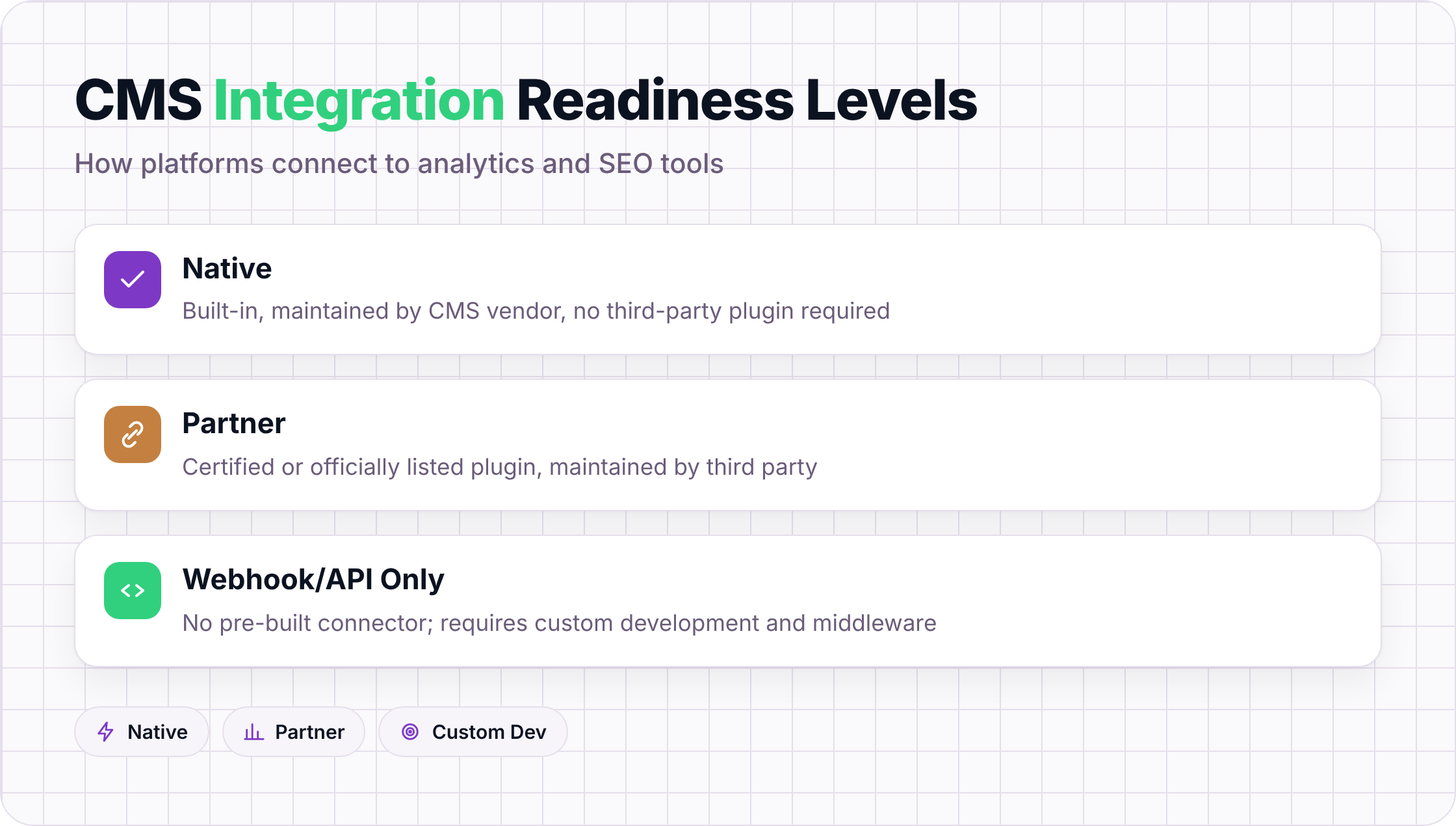
Not every CMS connects to analytics and SEO tools the same way. Some platforms ship native connectors that sync data automatically; others rely on certified partner plugins; and some require a custom webhook or middleware layer before any data moves at all. Knowing which category your platform falls into tells you how much engineering time sits between you and a working integration.
The matrix below uses three ratings:
- Native: built-in, maintained by the CMS vendor, no third-party plugin required
- Partner: a certified or officially listed plugin or app, maintained by a third party
- Webhook/API only: no pre-built connector; integration requires custom development
| Platform | Google Analytics 4 | Google Search Console | Semrush / Ahrefs | HubSpot Marketing | Schema/Structured Data |
|---|---|---|---|---|---|
| WordPress VIP | Native | Partner | Partner | Partner | Native (Yoast/RankMath) |
| Contentful | Webhook/API | Webhook/API | Webhook/API | Partner | Webhook/API |
| Webflow | Native | Native | Partner | Partner | Native |
| HubSpot CMS | Native | Native | Partner | Native | Native |
| Sanity | Webhook/API | Webhook/API | Webhook/API | Webhook/API | Webhook/API |
| Drupal | Partner | Partner | Partner | Partner | Partner |
| Sitecore | Partner | Partner | Partner | Native | Partner |
A few things worth pulling out of those rows.
WordPress VIP handles GA4 through a native embed but leans on the plugin ecosystem for Search Console and third-party SEO tools. That works well at scale because the plugin library is mature, but your integration quality depends on a third party's release cadence, not WordPress's. When a plugin stops being maintained, the data gap is yours to fix.
Contentful sits almost entirely in webhook/API territory. That's a deliberate architectural choice: Contentful is content infrastructure, not a marketing platform, and it expects integrations to be assembled by the team consuming the API. CMS integrations built this way can be more durable than plugin-based ones because they're not subject to plugin deprecation, but the upfront build cost is real. Budget at least one sprint for a working GA4 pipeline if you're starting from scratch.
Webflow is the most complete out of the box for marketing teams without dedicated developers. GA4 and Search Console both connect natively through the dashboard, and Webflow generates clean semantic HTML that passes structured data validators without additional configuration. The limitation shows up at the enterprise end: Webflow's native analytics integrations don't support server-side tagging or consent-mode-aware data layers, which matters if you're operating under GDPR or CCPA with strict consent requirements.
HubSpot CMS is the only platform in this list where the analytics layer, the CRM, and the CMS share a single data model natively. A blog post, a contact record, and a campaign attribution report all live in the same database. The trade-off is lock-in: moving off HubSpot means rebuilding those connections from scratch, and the 2026 enterprise CMS comparison from Digital Applied notes that HubSpot's SEO tooling, while improving, still trails dedicated platforms on technical audit depth and keyword-level reporting granularity.
Sanity is the most developer-centric option here. Every integration is a webhook or a custom pipeline, full stop. Teams that choose Sanity typically have a frontend framework (Next.js, Remix, or Astro) handling the rendered layer, and they wire analytics through that layer rather than through the CMS itself. This works cleanly for engineering-led teams. For content teams who need to see traffic data alongside the document they're editing, it requires a custom studio plugin, which adds scope.
Drupal sits in an interesting middle position. Its module ecosystem covers most major analytics and SEO integrations, but "partner" in Drupal's case means a community-maintained module, not a vendor-certified connector. Module quality varies significantly. The Google Analytics 4 module for Drupal 10, for instance, had a six-month lag after GA4's mandatory migration deadline in July 2023 before it reached a stable release. Audit module maintenance status before committing to any integration path.
Sitecore's partner integrations are enterprise-grade but expensive to implement. Most Sitecore deployments connect to analytics through a data layer pushed to a tag management system (GTM or Tealium), not through a direct CMS-to-GA4 connector. That architecture is actually more flexible for large organizations running multiple analytics platforms simultaneously, but it adds a configuration layer that smaller teams rarely need. Coremedia's enterprise CMS analysis places Sitecore's total cost of ownership among the highest in the enterprise segment, and integration complexity is a cited contributor to that figure.
One pattern holds across all seven platforms: native integrations reduce time-to-data but often sacrifice depth. A native GA4 connector gives you pageviews and sessions. A properly configured server-side pipeline gives you revenue attribution, consent-aware sampling, and cross-device stitching. Teams that start with native connectors and never revisit the architecture tend to make content decisions on incomplete data, not because the CMS failed them, but because "connected" and "fully instrumented" are not the same thing.
How to Choose a CMS Based on Your Analytics and SEO Requirements
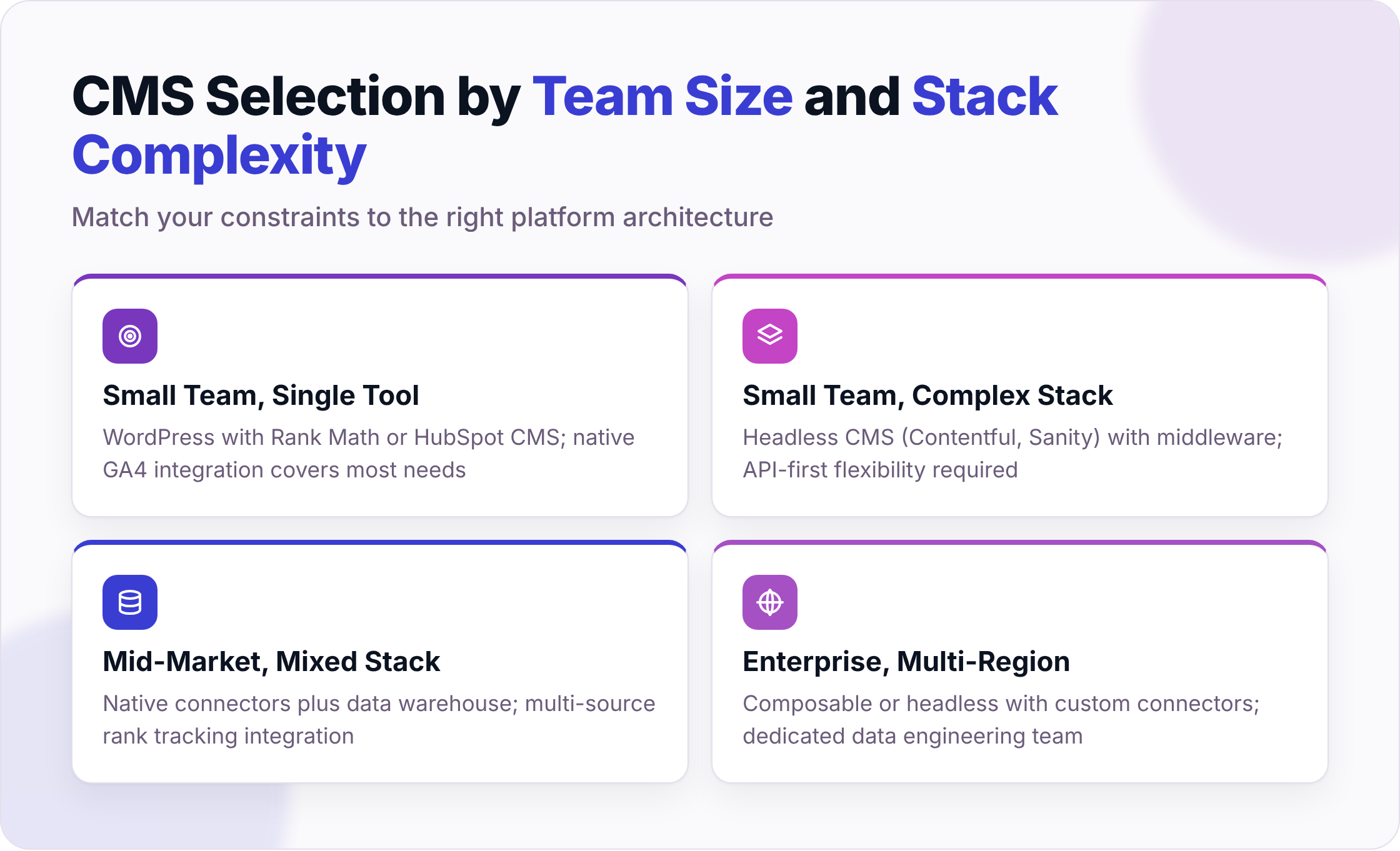
Choosing a CMS for analytics and SEO fit starts with three variables: team size, your existing data stack, and whether you need headless or traditional architecture. Small teams with a single analytics tool can often rely on native connectors. Larger teams running multi-source data pipelines usually need middleware or a composable setup.
Map Your Constraints Before Comparing Feature Lists
Team under 10, single CMS, Google Analytics 4: A traditional platform with native GA4 integration (WordPress with Rank Math, or HubSpot CMS) covers most ground without additional tooling. Elementor's CMS comparison guide puts WordPress's SEO plugin ecosystem as one of its primary advantages over hosted alternatives.
Mid-market team, mixed stack (GA4 plus a data warehouse plus a third-party rank tracker): Native connectors start to show gaps here. Middleware like Segment or Zapier closes the last mile without requiring a platform switch.
Enterprise or headless architecture: Composable platforms like Contentful or Strapi give you API flexibility, but the analytics and SEO layer is almost entirely your responsibility to wire up. Univio's 2026 CMS comparison notes that headless platforms such as Contentful and DatoCMS trade built-in content presentation features for architectural freedom, which extends directly to analytics integration.
When a Native Connector Justifies the License Premium
A native connector earns its cost when it eliminates a full-time integration maintenance burden. If your team is spending four or more hours per week reconciling data between your CMS and your analytics layer, a platform with a certified, maintained connector pays for itself quickly.
The trade-off is real, though. Native connectors are only as current as the vendor's release cycle. When Google updates GA4's API or a rank-tracking provider changes its data schema, you are waiting on the CMS vendor to ship a patch. Middleware tools like Segment update connectors independently, which often means faster parity. For teams with a dedicated data engineering function, a middleware-first architecture frequently outperforms native connectors on both speed and coverage, even if the upfront setup takes longer.
Frequently Asked Questions
Which CMS has the best native Google Analytics 4 integration?
HubSpot CMS and Webflow both connect to GA4 natively through their dashboards, with no plugin required. HubSpot goes further by surfacing GA4 data inside the content editor itself, alongside CRM and campaign data, which makes it the stronger choice if attribution reporting matters to your team.
Can a headless CMS like Contentful or Sanity connect to Google Search Console?
Not natively. Both platforms are API-first and expect you to build or buy the integration layer. You can connect either to Search Console through a custom webhook pipeline or a third-party connector service, but budget at least one development sprint to get a stable, production-ready feed running.
What is the difference between a native connector and a partner plugin?
A native connector is built and maintained by the CMS vendor. When the analytics platform changes its API, the vendor ships a patch. A partner plugin is maintained by a third party, so the update timeline depends on that maintainer's schedule and whether they're still actively supporting the plugin. The practical risk: partner plugins can fall months behind after major API changes, as the Drupal GA4 module did in 2023.
Do I need a tag management system if my CMS has a native analytics connector?
Not always, but often yes. Native connectors typically handle pageview tracking and basic event data. If you need server-side tagging, consent-mode-aware data layers, or cross-platform event routing, a tag management system (Google Tag Manager or Tealium) adds a layer that native connectors rarely replicate on their own. Webflow is a clear example: its native GA4 connection works well for standard tracking but does not support server-side containers.
Which vendors provide turnkey connectors to common CMS and analytics stacks without requiring custom development?
HubSpot CMS covers the most ground out of the box: GA4, Search Console, and its own marketing analytics all connect without custom code. Webflow is the closest alternative for teams that don't need CRM integration. WordPress VIP covers GA4 natively and fills the rest through a mature plugin ecosystem, though plugin maintenance is on you. Every other platform in the comparison matrix requires at least some custom development for a complete analytics and SEO integration.
How do I check whether a CMS connector is still actively maintained?
Look at three things: the connector's last release date, the number of open unresolved issues in its repository or marketplace listing, and whether the vendor or a third party owns the maintenance. A connector last updated more than 12 months ago that hasn't addressed a major API version change (like GA4's July 2023 mandatory migration) is a liability, not an asset.
If you want a clearer picture of how your current CMS and analytics stack connect, or where the gaps are, see how Seorav can help at seorav.com/integrations. The integrations page covers the specific connectors Seorav supports and how they map to the platforms covered here.
Keep reading
AI-Powered SEO Tools That Actually Move the Needle
Compare the top ai-powered seo tools for content scoring, technical audits, and AI citation tracking. See which platforms actually move traffic in 2026.

Siteimprove Alternatives That Actually Compete on SEO and Content Quality
Comparing siteimprove competitors on SEO depth, content optimization, and accessibility. See which platform wins in each lane before you switch.

How to Measure and Improve Your AI Citation Rate
Learn how to track and improve your AI citation rate across ChatGPT, Perplexity, Claude, and Gemini with a step-by-step citation rate optimization framewor