10 Must-Have Integrations for Your CMS Platform
Last updated: 25 July 2026
The 10 must-have integrations for your CMS platform are the connective tissue between your content and every other system your business depends on. Without them, your CMS becomes an island — content goes in, but the data, personalization, and commerce logic that make it valuable never come back out. This guide covers each integration with concrete examples and honest trade-offs.
Why CMS Integrations Matter More Than Features
Most content teams spend months evaluating CMS platforms on authoring experience and template flexibility. That's understandable, but the bigger risk is choosing a platform that doesn't connect cleanly to the tools already running your business.
A 2023 survey by TechTarget found that integration gaps are the leading cause of CMS project failures, outranking poor UX and performance problems. The reason is structural: a CMS sits at the center of your digital stack. When it can't talk to your CRM, your analytics, or your commerce engine, every team downstream works with stale or incomplete data.
The platforms consistently appearing on any top 10 CMS platforms list — WordPress, Contentful, Drupal, Sitecore, Adobe Experience Manager — all support the integrations below, but the depth of that support varies significantly. Developers working with headless or API-first types of CMS platforms will find integrations easier to maintain than those locked into monolithic architectures.
1. CRM Integration
Your CMS should know who is reading your content. Connecting to a CRM — Salesforce, HubSpot, or Microsoft Dynamics — lets you tie form submissions, gated content downloads, and page-level behavior directly to contact records.
Concrete example: A B2B software company connects Contentful to HubSpot via webhook. When a visitor downloads a whitepaper, the CMS fires an event that creates or updates a HubSpot contact with the asset name and timestamp. Sales can see exactly which content influenced a deal.
Trade-off: Bidirectional sync adds complexity. If your CRM and CMS both hold "source of truth" data on a contact, conflicts arise. Start with one-way pushes from CMS to CRM until your data model is stable.
2. Analytics Platform Integration
Without analytics, you're publishing blind. Google Analytics 4, Mixpanel, and Amplitude all offer tag-based or server-side integrations with major CMS platforms.
The critical configuration most teams skip: setting up content-group dimensions so you can compare performance by content type (blog post vs. landing page vs. product guide), not just by URL. That one change typically surfaces 30–40% of low-performing content that would otherwise stay hidden in aggregate traffic numbers.
3. Digital Asset Management (DAM)
A DAM — Bynder, Cloudinary, or Canto — centralizes images, videos, and documents outside the CMS. This matters at scale: teams managing more than 10,000 assets inside a CMS database see query slowdowns and storage costs climb quickly.
The integration pattern is straightforward: authors browse and select assets from the DAM directly inside the CMS editor, and the DAM returns a CDN-optimized URL. The asset lives in one place; the CMS just references it.
4. E-Commerce Platform Integration
For retailers and DTC brands, connecting the CMS to Shopify, Commercetools, or Magento turns editorial content into a revenue channel. Product data — pricing, inventory, variants — flows into content pages in real time, so a "sold out" label appears without a developer touching a template.
Limit: Real-time inventory sync adds API call volume. High-traffic sites should cache product data at the CDN layer and refresh on a short TTL (60–120 seconds) rather than fetching live on every page load.
5. Search Integration
Native CMS search is rarely good enough for sites with more than a few hundred pages. Algolia, Elasticsearch, and Coveo all offer CMS connectors that index content automatically when pages are published or updated.
The best enterprise CMS platforms treat search as a first-class integration rather than an afterthought — a point reinforced by enterprise CMS evaluations that rank search capability alongside commerce and analytics. Faceted filtering, typo tolerance, and personalized ranking are features no built-in CMS search engine replicates well.
6. Marketing Automation Integration
Marketing automation platforms — Marketo, Pardot, ActiveCampaign — need to know what content a lead consumed before a campaign runs. The integration typically works through embedded tracking scripts and form connectors, but the more powerful setup is a server-side event stream that passes page-view data without relying on cookies.
This matters because browser-based cookie restrictions (Safari's ITP, Firefox's ETP) now block or shorten session tracking for a meaningful share of traffic. Server-side integrations are more resilient.
7. CDN and Edge Delivery Integration
A CDN is not optional for any CMS serving traffic across more than one geography. Cloudflare, Fastly, and Akamai each offer CMS-specific plugins or API hooks that trigger cache purges automatically when content is published.
Without this integration, editors publish updates that visitors don't see for hours — sometimes days — because stale cache versions persist. Automated purge-on-publish solves this, but requires careful configuration: purging too broadly slows your origin server; purging too narrowly leaves stale content live.
8. Translation and Localization Integration
Multilingual support is a feature most CMS platforms advertise, but the workflow behind it — sending strings to translators, receiving them back, and publishing without breaking layout — requires a dedicated integration. Phrase, Lokalise, and Smartling all connect to major CMS platforms via API and support translation memory, which reduces costs by reusing previously translated segments.
Teams that skip this integration and manage translations manually in spreadsheets typically spend 3–5× more per word and introduce more errors.
9. Personalization and A/B Testing Integration
Tools like Optimizely, VWO, and AB Tasty let you serve different content variants to different audience segments without changing your CMS templates. The integration pattern is usually a JavaScript snippet plus a content API call that swaps blocks based on segment rules.
Honest caveat: Personalization integrations are high-maintenance. Segment definitions go stale, test variants accumulate, and performance overhead from client-side scripts is real — typically 200–400ms of additional page load time if not implemented carefully. Start with two or three high-value segments rather than building a complex rule tree.
10. Headless API and Webhook Framework
This one is less a single tool and more a capability: your CMS must expose a robust REST or GraphQL API and support outbound webhooks. Without this, none of the nine integrations above can work reliably in a modern, decoupled architecture.
Developers building on the best CMS for developers — Contentful, Sanity, Strapi — expect API-first design as a baseline. If your CMS requires a plugin for every connection point, you're accumulating technical debt with each integration you add.
Measuring Success and Common Failure Modes
Track these four signals to know whether your integrations are working:
| Signal | What to Measure | Healthy Benchmark |
|---|---|---|
| Data freshness | Lag between CMS publish and downstream system update | Under 60 seconds |
| Error rate | Failed webhook deliveries or API timeouts per day | Below 0.5% |
| Asset load time | Time-to-first-byte for DAM-served images | Under 200ms |
| Search relevance | Click-through rate on top search results | Above 40% |
The most common failure mode is integration drift: a third-party tool updates its API, the connector breaks silently, and data stops flowing. Build a monitoring alert — even a simple uptime check on your webhook endpoint — for every integration you deploy.
Your First 30 Days: A Realistic Action Plan
Most teams try to implement all integrations at once and finish none of them properly. A more effective sequence:
- Week 1: Audit your current stack. List every tool that touches content — CRM, analytics, DAM, commerce, search. Identify which already have native CMS connectors.
- Week 2: Implement CRM and analytics integrations first. These have the widest internal stakeholder benefit and the most mature connector ecosystems.
- Week 3: Add DAM and CDN integrations. These reduce operational friction for editors and protect site performance.
- Week 4: Set up monitoring for all active integrations. Define what a "broken" integration looks like and who gets alerted.
Leave personalization, A/B testing, and advanced localization for a second phase once your data foundation is solid.
If you want an expert assessment of which integrations your current CMS stack is missing — and which ones will deliver the fastest return — see how seorav.com can help. A focused consultation often surfaces gaps that internal teams miss simply because they're too close to the existing setup.
Frequently Asked Questions
What are CMS integrations?
CMS integrations are connections between your content management system and other software tools — such as CRMs, analytics platforms, e-commerce engines, and digital asset managers. They allow data and content to flow automatically between systems, so teams don't have to manually transfer information. Most modern CMS platforms support integrations through APIs, webhooks, or pre-built connectors.
What is an example of a CMS integration?
A common example is connecting a CMS like Contentful to HubSpot via webhook. When a visitor fills out a form embedded in a CMS-managed page, the submission automatically creates or updates a contact record in HubSpot, complete with the page URL and timestamp. Sales and marketing teams then have an accurate, real-time view of which content influenced each lead — without any manual data entry.
What are the top 5 CMS platforms?
The platforms most consistently cited by enterprise evaluations and developer surveys are WordPress, Contentful, Drupal, Adobe Experience Manager, and Sitecore. WordPress dominates in market share across all site types; Contentful and Sanity lead among developers who prefer API-first, headless architectures; Drupal is favored for complex, custom builds; and AEM and Sitecore are common in large enterprises with significant personalization needs.
What features should a CMS have to support integrations well?
A CMS built for integrations should offer a REST or GraphQL API, outbound webhook support, role-based access controls for API keys, and a marketplace or plugin ecosystem for common connectors. It should also support event-driven publishing — triggering downstream systems automatically when content is created, updated, or deleted — rather than requiring manual exports or scheduled syncs.
Does adding more integrations slow down a CMS?
It can, depending on the integration pattern. Client-side integrations (JavaScript snippets for analytics or A/B testing) add page-load overhead — typically 200–400ms each if not optimized. Server-side and webhook-based integrations have minimal front-end impact but add API call volume on the backend. The safest approach is to audit integration performance quarterly and use CDN caching to shield your origin server from excessive requests.
How do I know if a CMS integration is broken?
Silent failures are the biggest risk. Set up monitoring on every webhook endpoint and API connection — a simple uptime or status check that alerts your team when a delivery fails or times out. Also watch for data freshness: if your CRM hasn't received a new contact from a high-traffic form page in 24 hours, that's a signal the integration has drifted. Aim for an error rate below 0.5% of all integration events.
Keep reading
Ranking in Google's AI Search: The Deterministic Signals That Actually Move the Needle
Learn how do you rank in SGE with the three signals Google's AI uses to cite sources: schema markup, entity salience, and structured factual claims.

Why AI Ignores Your Content (And How to Fix It)
Learn how to avoid AI content that gets ignored by LLMs. Covers RAG retrieval signals, schema, entity salience, and an answer-first structure checklist.
Query Fan-Out in LLM Search: How AI Breaks Down Your Questions
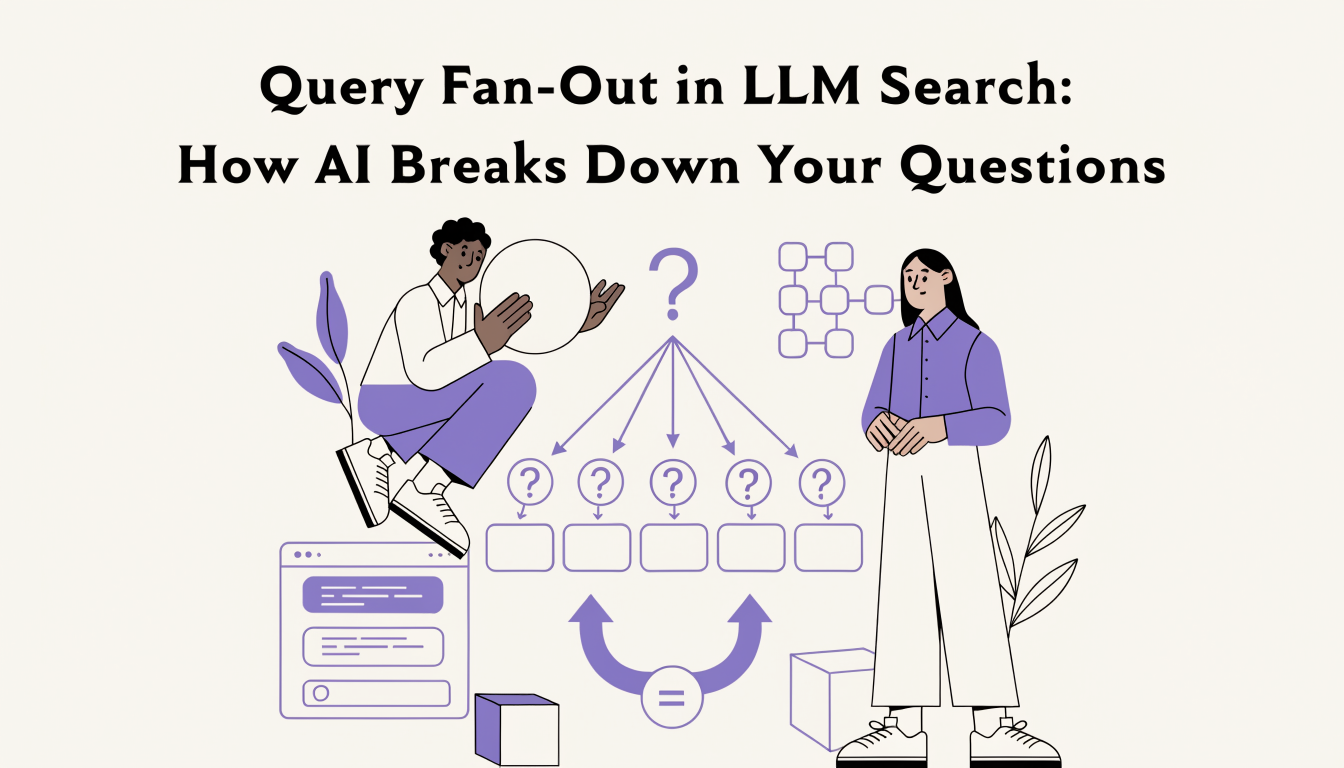
Learn what query fan-out in LLM search is, how AI splits your prompt into 3-8 sub-queries, and how to structure content to win more citation passes.